
Authorized dealer · Certified installers · Charlotte, NC headquarters
360 Technology Group is an authorized Paxton dealer and certified installer
We have been selling, installing, programming and servicing Paxton systems across North and South Carolina since 2018 — more than 8 years. Our scope covers Paxton Net2 and Paxton10 systems, PaxLock wireless door hardware, Paxton Entry video intercom, readers, keypads and credentials.
- Authorized Paxton dealer — we quote and supply genuine Paxton equipment, licensing and subscriptions.
- Certified Paxton installers — our technicians install, wire, program, commission and document the system.
- Repair and takeover — we service, troubleshoot, expand and take over existing Paxton installations we did not originally install.
- 24/7 emergency service — on-call service technicians for emergency repairs, plus scheduled preventive maintenance.
We cover every city in North Carolina and South Carolina from our Charlotte headquarters. Request a quote or service call Call 704-726-4254
Paxton10 product depth guide
Paxton10 access control and video management
Use this guide to compare Paxton10 server, controller, reader, camera, credential, Entry, PaxLock and connector choices before a bill of materials is finalized.

What Paxton10 brings together
Paxton10 is a web-managed platform that combines access control and video management. Paxton publishes capacity for up to 1,000 doors and 1,000 cameras, remote multi-site management and as many as 100 sites on one server. Those numbers are platform limits, not a substitute for server, storage, network and operational design.
Distributed intelligence at the door helps maintain access decisions when higher-level services are interrupted. The design still needs documented behavior for controller, server, network, power and fire-alarm failures.
| Planning item | Published Paxton10 capability | What to verify in the design |
|---|---|---|
| System scale | Up to 1,000 doors and 1,000 cameras. | Count active and future doors, cameras, Entry stations, wireless locks and retained third-party devices. |
| Multi-site | Remote management with as many as 100 sites on one server. | WAN routing, site time zones, bandwidth, recovery responsibility and administrator separation. |
| Credentials | Bluetooth smartphone credentials plus supported card and token technologies. | Reader model, encrypted credential policy, phone eligibility, enrollment and revocation workflow. |
| Door architecture | Single-door controllers with distributed intelligence. | Power source, lock load, enclosure, battery runtime, fire-alarm behavior and network path at every opening. |
| Video | Paxton10 CORE and PRO camera families plus limited third-party IP camera support through the video controller. | Scene requirements, retention, storage health, supported camera list and acceptance images. |
| Integrations | Entry, PaxLock, fire and intrusion alarm functions, connectors, triggers and actions. | Exact supported versions, input/output logic, event ownership and failure-state testing. |
Paxton10 components and current US examples
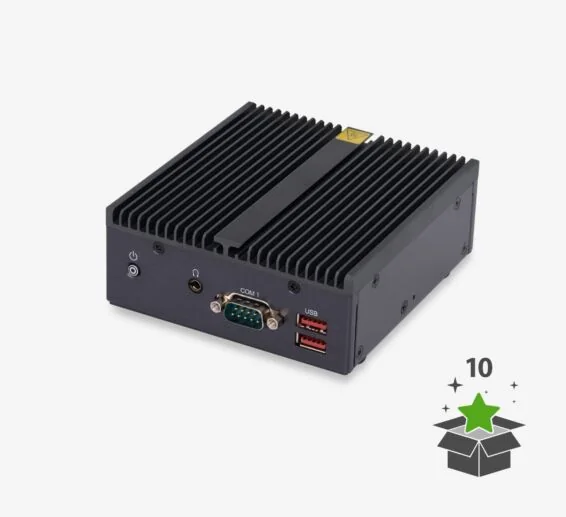
Server — 003-375-US
Browser-based system hub with remote-access support. Paxton’s current selection guide identifies a 32 GB USB backup device; confirm the current supplied configuration.
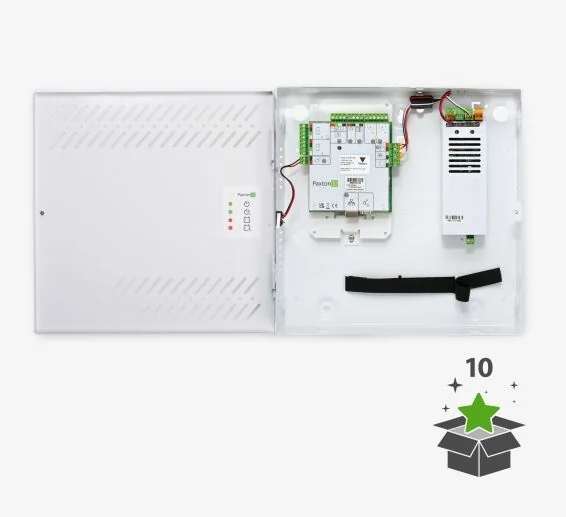
Single-door controller options
Examples include 010-522-US with 12/24 V 2 A PSU, 010-495-US metal housing with PoE and 010-403-US PCB-only.
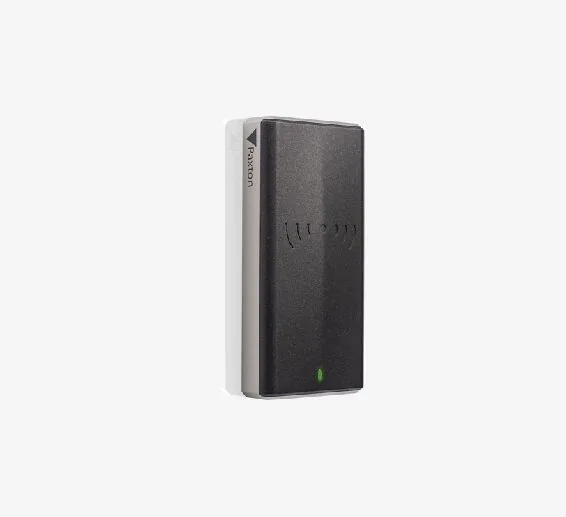
Reader family
Examples include Slimline 010-296-US, vandal-resistant 010-254-US and reader-keypad 010-721-US. Match the selected model to credentials and mounting.
Paxton10 connection architecture
Drawing requirement: final construction documents should show exact terminals, cable types, conductor counts, power-source responsibility, battery calculations, lock suppression, fire-alarm interface and network switch ports.
Cameras, credentials and automation
CORE and PRO cameras
Current US examples include turret, mini bullet, mini dome and vari-focal bullet models. Confirm resolution, lens, scene, storage and environmental rating for every camera.
Third-party camera path
Paxton states that a video controller can manage one to four supported third-party IP cameras while also controlling one door. Confirm the exact compatibility list and storage behavior.
Bluetooth and encrypted credentials
Paxton Key uses Bluetooth Low Energy. Encrypted cards and fobs require compatible readers and the current universal desktop reader for enrollment.
Triggers, actions and I/O
Alarm, input, output and I/O connectors support event-driven workflows. Document normal state, activation, timeout, reset, supervision and failure behavior.
Lockdown and notifications
Supported releases provide lockdown and real-time email event notification. The owner must approve activation authority, affected doors and fire-alarm interaction.
Entry and PaxLock
Use supported Entry and PaxLock components when they fit the operational workflow, wireless design and lifecycle plan.
Commissioning and acceptance
- Verify every reader, lock, sensor, request-to-exit device and door-held/forced alarm.
- Test authorized, denied, scheduled, lockdown and visitor workflows.
- Verify live and recorded video, event association, search, export and time synchronization.
- Exercise server, controller, network and power outages plus controlled recovery.
- Confirm backup, administrator roles, remote access, notification recipients and credential revocation.
- Deliver version records, device inventory, labels, diagrams, test results and official support links.
Official Paxton product resources
Use Paxton-owned pages for current models, release notes, manuals, technical data and software access. Product availability and specifications can change.
Design a Paxton10 deployment
Tell us the sites, doors, cameras, current hardware and required integrations. We can survey the openings and build a documented Paxton10 architecture.
Paxton owner, administrator and buyer resources
These owner and buyer guides connect Paxton software and hardware research with surveyed design, installation, commissioning, database protection, maintenance and field support in North and South Carolina.
Official Paxton software, firmware and support
Use these manufacturer-owned portals for current downloads, release notes, manuals, advisories and technical resources. 360 Technology Group links to official sources and does not copy or host firmware files.
Update carefully: confirm the exact model, region, hardware revision, installed version, prerequisites, required intermediate releases, support entitlement, integrations, backup, maintenance window, rollback limitations and post-update tests. The wrong package or sequence can interrupt service or prevent a downgrade.
Some portals require a customer, dealer, certified-technician or active-support login. Cloud-managed products may update automatically and may not offer a public firmware file.