
Authorized dealer · Certified installers · Charlotte, NC headquarters
360 Technology Group is an authorized Paxton dealer and certified installer
We have been selling, installing, programming and servicing Paxton systems across North and South Carolina since 2018 — more than 8 years. Our scope covers Paxton Net2 and Paxton10 systems, PaxLock wireless door hardware, Paxton Entry video intercom, readers, keypads and credentials.
- Authorized Paxton dealer — we quote and supply genuine Paxton equipment, licensing and subscriptions.
- Certified Paxton installers — our technicians install, wire, program, commission and document the system.
- Repair and takeover — we service, troubleshoot, expand and take over existing Paxton installations we did not originally install.
- 24/7 emergency service — on-call service technicians for emergency repairs, plus scheduled preventive maintenance.
We cover every city in North Carolina and South Carolina from our Charlotte headquarters. Request a quote or service call Call 704-726-4254
Paxton door-entry product guide
Entry video intercom and visitor access
Paxton Entry is organized around an external panel, a door controller and an internal monitor. A complete design adds network, lock, egress, directory, call-routing and accessibility requirements.
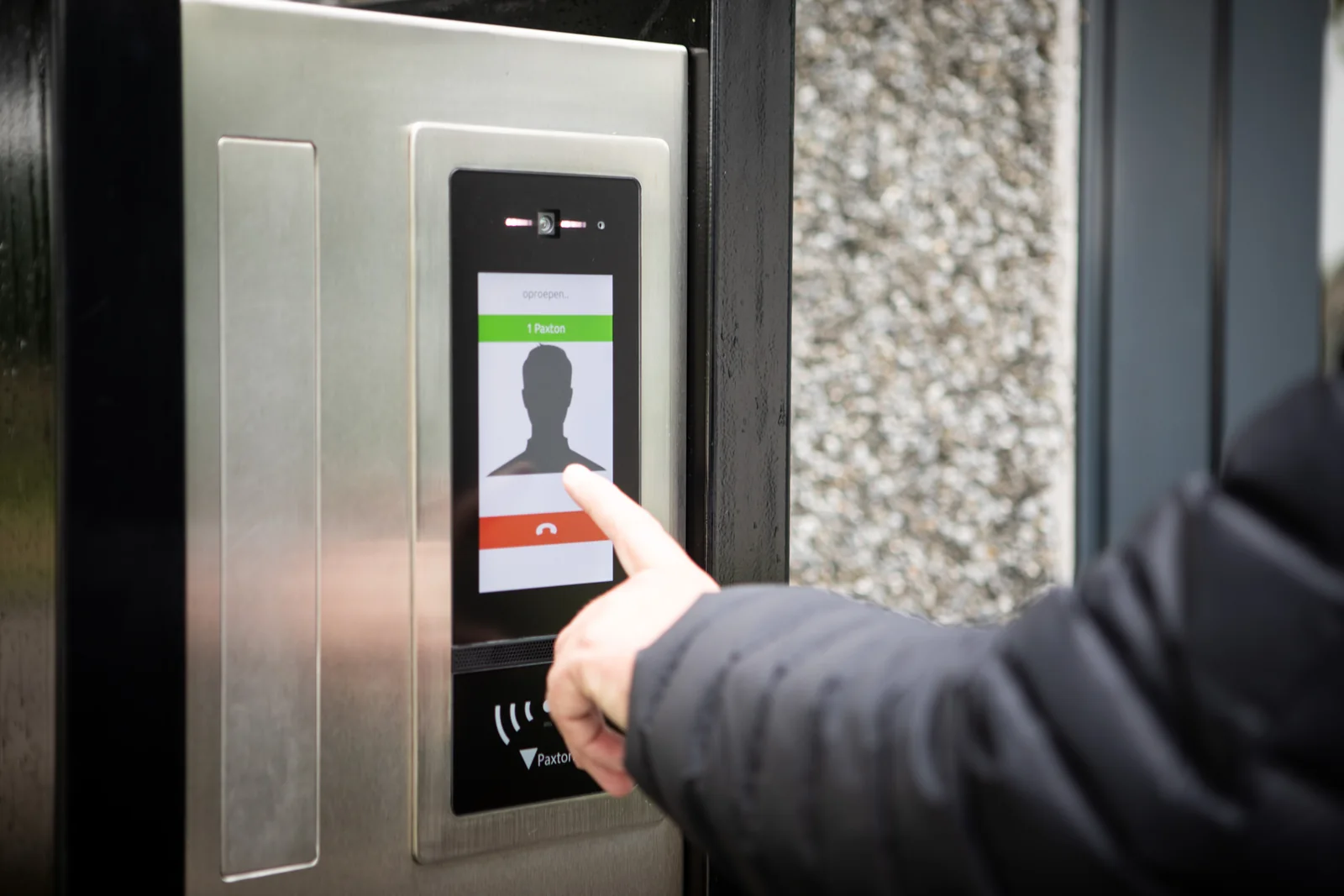
Three-part Entry architecture
Product and workflow decisions
Panel format
Compare standard, vandal-resistant, touch and other current panel options by environment, directory size, mounting and accessibility.
Monitor format
Select current audio, standard, premium, handset or touchscreen monitor options around the user and space.
Call routing
Define who receives calls, after-hours behavior, unanswered calls, privacy and remote-release authority.
Access integration
Confirm the supported Paxton10 or Net2 relationship, credential reader, lock interface and event record.
Mobile app
The Entry app requires supported hardware and an active user license. Confirm licensing, device policy and push-notification behavior.
Acceptance images and audio
Test face identification, backlight, nighttime scene, intelligibility, echo, delay and door-release confirmation.
Survey checklist
- Mounting height, weather, lighting, vandal exposure and accessible reach range.
- Door and frame condition, lock type, free egress and fire-alarm interface.
- Network route, PoE or local power, UPS, bandwidth and remote-call requirements.
- Directory population, tenant or department changes and administrator responsibility.
- Monitor locations, sound environment, privacy and after-hours workflow.
- Required recordings, event linkage, retention and visitor-data policy.
Official Paxton product resources
Use Paxton-owned pages for current models, release notes, manuals, technical data and software access. Product availability and specifications can change.
Plan a Paxton Entry system
We can survey the entrance, confirm the call workflow and coordinate panel, monitor, controller, lock and network requirements.
Plan Entry as an audio, video, network and door-control system
Paxton Entry uses an exterior panel, an internal monitor or app endpoint, and a door control unit. Paxton’s current standard monitor uses IP and PoE and provides a 4.3-inch capacitive touch interface. A successful design still depends on the full call path: visitor audio, camera view, call routing, door release, unanswered-call behavior and the user’s ability to identify the correct entrance.
Panel placement
Check mounting height, accessibility, glare, rain exposure, background noise, night illumination and the camera view of both standing visitors and delivered packages.
Call destinations
List each monitor, reception desk, tenant group and licensed app user. Define schedules, simultaneous or sequential ringing, after-hours behavior and who may release the door.
Door release
Coordinate the Entry door control unit with the access controller, lock power, request-to-exit device and fire/life-safety interface. A video call should never bypass the approved locking sequence.
Entry acceptance testing
Test intelligible two-way audio, usable day and night video, correct directory labels, call routing, app notifications, door release, missed calls and recovery after power or network interruption. Capture representative screenshots only with the owner’s approval and record the final network, firmware and endpoint inventory for support.
Paxton owner, administrator and buyer resources
These owner and buyer guides connect Paxton software and hardware research with surveyed design, installation, commissioning, database protection, maintenance and field support in North and South Carolina.
Official Paxton software, firmware and support
Use these manufacturer-owned portals for current downloads, release notes, manuals, advisories and technical resources. 360 Technology Group links to official sources and does not copy or host firmware files.
Update carefully: confirm the exact model, region, hardware revision, installed version, prerequisites, required intermediate releases, support entitlement, integrations, backup, maintenance window, rollback limitations and post-update tests. The wrong package or sequence can interrupt service or prevent a downgrade.
Some portals require a customer, dealer, certified-technician or active-support login. Cloud-managed products may update automatically and may not offer a public firmware file.