
Authorized dealer · Certified installers · Charlotte, NC headquarters
360 Technology Group is an authorized LenelS2 dealer and certified installer
We have been selling, installing, programming and servicing LenelS2 systems across North and South Carolina since 2018 — more than 8 years. Our scope covers LenelS2 OnGuard and OnGuard Cloud, NetBox and NetBox Nodes, M-Series controllers, BlueDiamond readers and mobile credentials.
- Authorized LenelS2 dealer — we quote and supply genuine LenelS2 equipment, licensing and subscriptions.
- Certified LenelS2 installers — our technicians install, wire, program, commission and document the system.
- Repair and takeover — we service, troubleshoot, expand and take over existing LenelS2 installations we did not originally install.
- 24/7 emergency service — on-call service technicians for emergency repairs, plus scheduled preventive maintenance.
We cover every city in North Carolina and South Carolina from our Charlotte headquarters. Request a quote or service call Call 704-726-4254
NetBox field and operator guide
Distributed Nodes, converged video and unified monitoring
Match each Node and application blade to the openings and I/O it serves, then size video, Magic Monitor and mobile workflows around measurable response and recovery requirements.
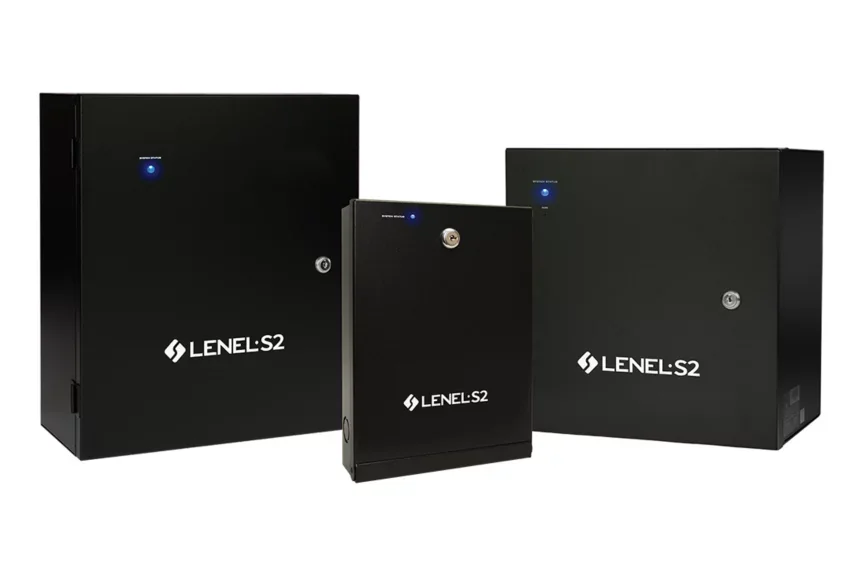
Distributed Node options
| Node family | Published capability | Selection checks |
|---|---|---|
| Network Node | Up to seven application blades, 14 portals, 56 supervised inputs, 56 form-C outputs or 56 temperature inputs depending on blade mix; offline access operation. | Blade schedule, downstream readers, enclosure, power, batteries, network, environmental conditions and spare capacity. |
| MicroNode Plus | Compact two-portal panel with four selectable wet/dry relay outputs, four supervised inputs and one temperature input. | Retrofit wiring, reader interfaces, lock loads, power, enclosure, input supervision and migration from legacy two-reader panels. |
| Network Node VRx | Distributed access plus supported edge video management, viewable through VRx, Magic Monitor and Mobile Security Professional. | Portal/camera capacity, storage, bandwidth, scene, retention, client permissions and failure behavior. |
| Network Node VR | Published reference up to eight IP cameras, eight portals and four application blades. | Confirm current product/lifecycle status, exact recorder storage, camera support and upgrade path. |
Distributed access and video path
Application-blade planning
Network Nodes use modular application blades for access control, supervised inputs, relayed outputs and temperature probes. The Node can automatically recognize supported blades, but the project must still identify position, address, wiring, power and function for every point.
Offline availability keeps defined access operation at the Node when communication with the NetBox controller is lost. That does not mean every central workflow remains available. Test new credential updates, alarms, operator control, event buffering, clock and recovery behavior during a planned interruption.
Access-control blade
Schedule readers, contacts, exit devices and lock relays; verify OSDP/Wiegand interface, reader power and lock-power separation.
Supervised inputs
Record resistor values, normal state, trouble state, event text, notification and reset responsibility.
Relayed outputs
Document load, interposing relay, activation logic, duration, manual override and safe failure state.
Temperature probes
Define sensor type, calibration, thresholds, delay, notification, escalation and maintenance ownership.
Offline operation
Write expected controller/Node behavior for network, NetBox, DNS/time and power interruptions, then prove it.
Service records
Label Node, blade, port, cable, reader, door and I/O points and deliver the same identifiers in as-built records.
NetBox VRx and video planning
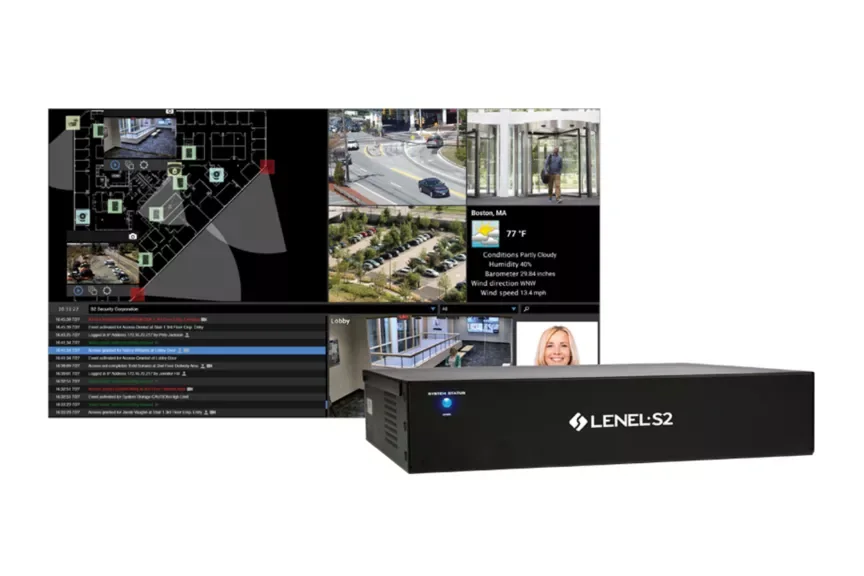
NetBox VRx products combine browser-based access control with supported video management. Current public product information identifies configurations supporting up to 16 IP cameras, 4K/H.265 capability and storage options such as 2 TB and 4 TB. Confirm the exact appliance, current data sheet and usable retention for the proposed recording settings.
Convergence can simplify operator workflow, but access and video remain different evidence systems. Size camera scenes, bitrate, storage, retention, health monitoring, export and user permissions separately, then test their association with access events.
| Video area | Acceptance evidence |
|---|---|
| Scene quality | Accepted day, night, backlight and movement images answering the stated identification or overview requirement. |
| Event association | Granted, denied, held, forced, threat-level and operator-action events open the intended camera and time window. |
| Recording and retention | Measured bitrate, usable storage, recording mode, retention days, health alarm and responsible reviewer. |
| Investigation | Role-based live view, search, synchronized playback, case handling, export and timestamp verification. |
| Failure and recovery | Camera, switch, recorder, storage, network, time and client interruptions with documented recovery. |
Magic Monitor and mobile clients
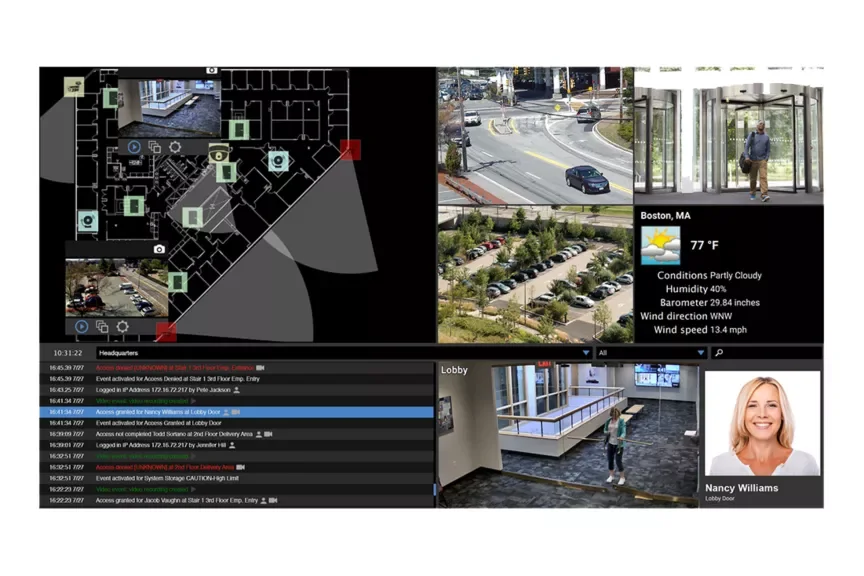
Magic Monitor brings access events, alarms, video and selected digital or web content into a unified operator interface. Build layouts around actual responsibilities: lobby verification, command-center alarms, investigations, threat-level operation or executive display are different use cases.
Mobile Security Professional can support authorized mobile operation of NetBox and video systems, including event review, door control and evacuation workflows. Mobile Security User supports employee-facing notifications, credential and safety functions. Restrict roles and test device loss, weak connectivity and emergency operation.
Operator layouts
Define screens, tiles, maps, alarms, camera views and user permissions around each staffed position.
Alarm workflow
Test priority, sound/visual indication, acknowledgement, notes, escalation, linked video and shift handoff.
Mobile door control
Limit unlock authority, require device/account controls and ensure every remote action is attributable in the audit record.
Evacuation and mustering
Define authoritative population, muster points, offline procedure, reconciliation and report ownership.
Shared displays
Prevent private identity or video data from appearing on public-facing or unattended displays.
Client capacity
Count concurrent NetBox, Magic Monitor and mobile connections against the selected platform tier.
Commissioning checklist
- Verify every Node, blade, reader, input, output, lock and temperature point.
- Test offline access and event recovery during NetBox and network interruptions.
- Validate access-event video, camera health, retention, playback and export.
- Exercise Magic Monitor layouts, alarms, permissions and operator handoff.
- Test mobile sign-in, door control, notification, evacuation and lost-device revocation.
- Deliver Node/blade schedules, firmware, storage calculations, layouts, roles and official support links.
Official LenelS2 product and support resources
Use current Honeywell and LenelS2 pages for product data, lifecycle notices, release information, supported combinations and authorized downloads. Software, firmware and some technical documents require an entitled portal account; 360 Technology Group does not host those files locally.
Design the NetBox field and operator architecture
We can survey openings, Nodes, cameras and operator positions and produce a coordinated access, video and response design.
LenelS2 owner, administrator and buyer resources
Use these owner and buyer resources to connect platform, product and pricing research with surveyed design, installation, software setup, commissioning, maintenance and support in North and South Carolina.
Official LenelS2 NetBox software, firmware and support
Use these manufacturer-owned portals for current downloads, release notes, manuals, advisories and technical resources. 360 Technology Group links to official sources and does not copy or host firmware files.
Update carefully: confirm the exact model, region, hardware revision, installed version, prerequisites, required intermediate releases, support entitlement, integrations, backup, maintenance window, rollback limitations and post-update tests. The wrong package or sequence can interrupt service or prevent a downgrade.
Some portals require a customer, dealer, certified-technician or active-support login. Cloud-managed products may update automatically and may not offer a public firmware file.