
Authorized dealer · Certified installers · Charlotte, NC headquarters
360 Technology Group is an authorized Schlage dealer and certified installer
We have been selling, installing, programming and servicing Schlage systems across North and South Carolina since 2018 — more than 8 years. Our scope covers Schlage AD Series, NDE, LE and XE360 wireless locks, CTE and MTB readers and ENGAGE administration.
- Authorized Schlage dealer — we quote and supply genuine Schlage equipment, licensing and subscriptions.
- Certified Schlage installers — our technicians install, wire, program, commission and document the system.
- Repair and takeover — we service, troubleshoot, expand and take over existing Schlage installations we did not originally install.
- 24/7 emergency service — on-call service technicians for emergency repairs, plus scheduled preventive maintenance.
We cover every city in North Carolina and South Carolina from our Charlotte headquarters. Request a quote or service call Call 704-726-4254
Schlage wireless lock guide
XE360 first: current wireless architecture, then NDE, LE and Control
Compare door preparation, grade, credential support, capacity and communication mode. Real-time, periodic Wi-Fi, No-Tour and offline operation solve different problems and create different support obligations.
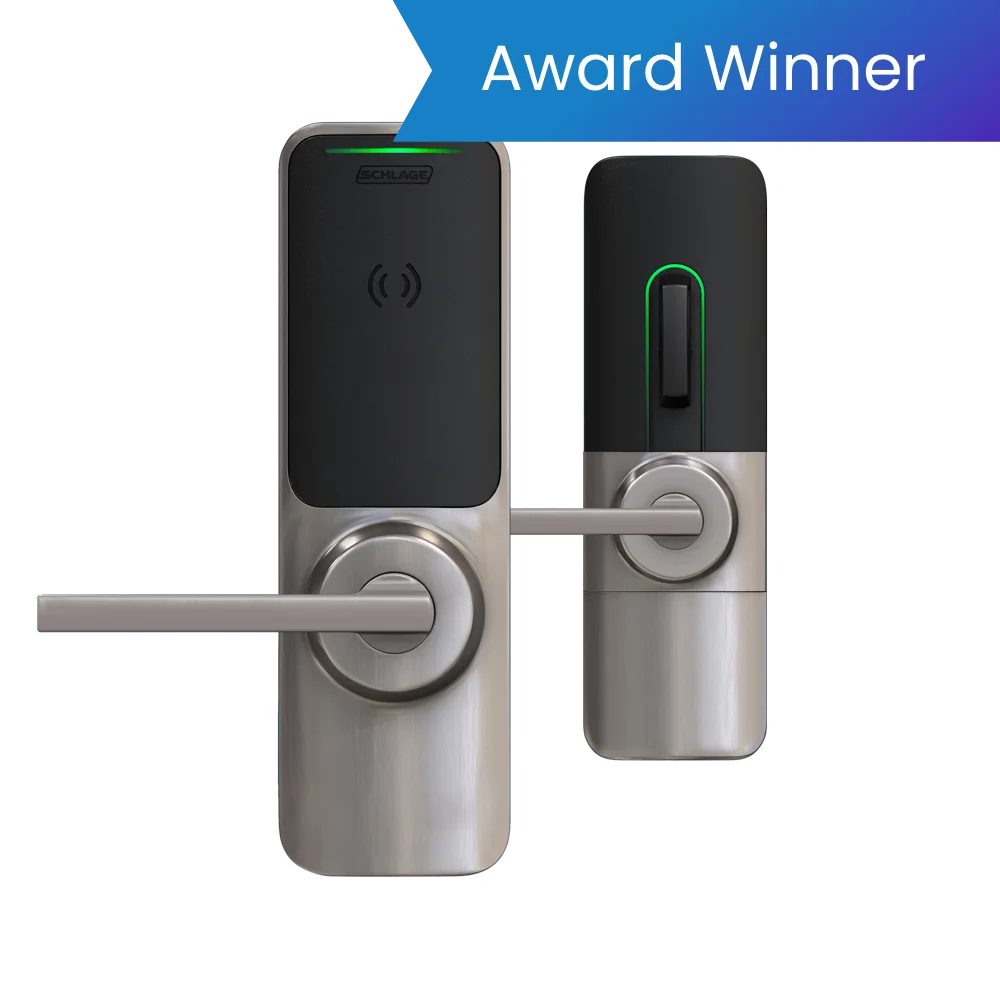
XE360 is the current family to evaluate first
Schlage describes XE360 as its newest wireless lock family. It is available as tubular, mortise and exit trim for multifamily and other supported property applications. A FleX Module approach separates the lock platform from selected communications so the design can use offline Bluetooth commissioning or RealSync persistent Wi-Fi in supported integrations.
That flexibility is not permission to leave the architecture undecided. Specify the exact chassis, reader/credential package, FleX Module, software or PACS integration, power source, cylinder and finish. Confirm what “real time” means in the selected integration, how quickly commands and alarms are delivered, and what the lock does when Wi-Fi or the head end is unavailable.
XE360 mortise
Full mortise-lock configuration for openings needing mortise functions, deadbolt or trim choices. Verify door preparation, function, handing, cylinder, fire rating and chosen FleX Module.
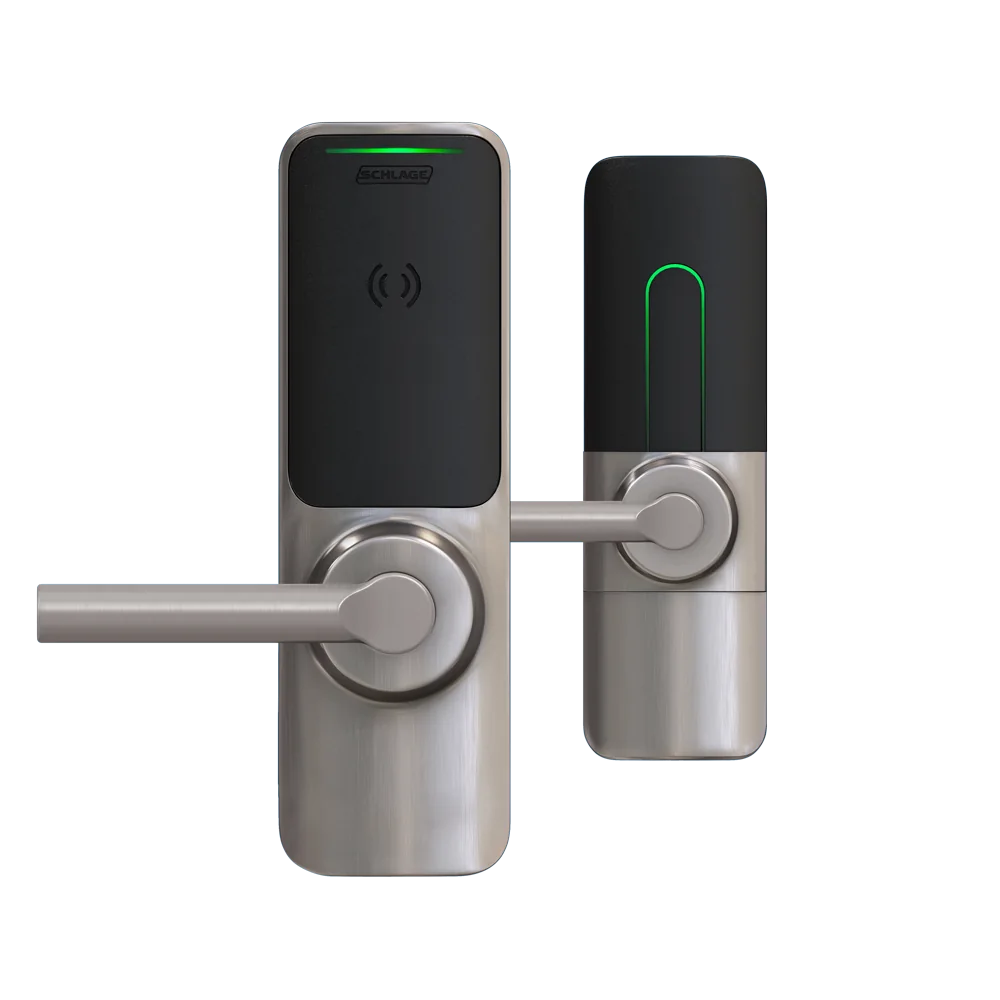
XE360 tubular
Tubular configuration for compatible door preparation and property workflows. Confirm latch/backset, door thickness, egress, credential and mechanical override.
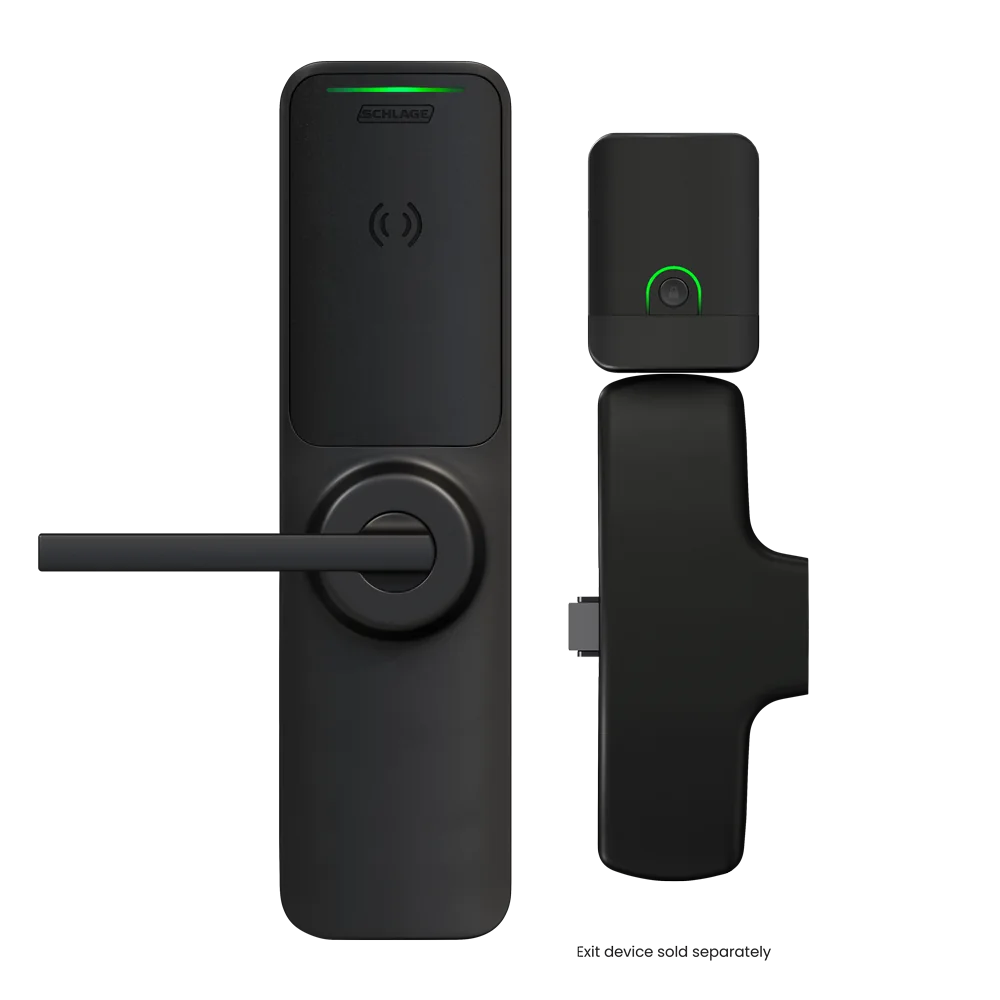
XE360 exit trim
Wireless credential reader and trim for supported exit devices. Coordinate the exact exit-device manufacturer/model, function, dogging, fire label, egress and outside trim.
XE360 design checkpoints
| Area | Manufacturer direction | Project decision |
|---|---|---|
| Door types | Tubular, mortise and exit-trim configurations are available. | Survey every opening and specify compatible preparation, function, handing, cylinder, fire label, finish and exit-device interface. |
| Communications | Offline Bluetooth and RealSync persistent Wi-Fi are supported in applicable configurations. | Name the FleX Module, software/PACS integration, real-time objective, update path and outage behavior. |
| Credentials | Current product pages identify smart and mobile credential options by model/package. | Verify the exact credential application, key ownership, enrollment, reader option and migration from legacy proximity. |
| Capacity | ENGAGE data sheets publish device, credential and audit references that vary by product and mode. | Use the installed release and integration documentation; capacity ceilings are not a complete architecture. |
| Firmware | Schlage publishes XE360 release notes and directs updates through supported ENGAGE workflows. | Read prerequisites, confirm app/PACS compatibility, update a pilot group and record every device version. |
| Wi-Fi | RealSync uses facility Wi-Fi for persistent communication. | Validate 2.4 GHz/security requirements, signal and roaming, certificates, VLAN/firewall, monitoring, battery impact and recovery. |
NDE and LE extend Grade 1 hardware deeper into a building
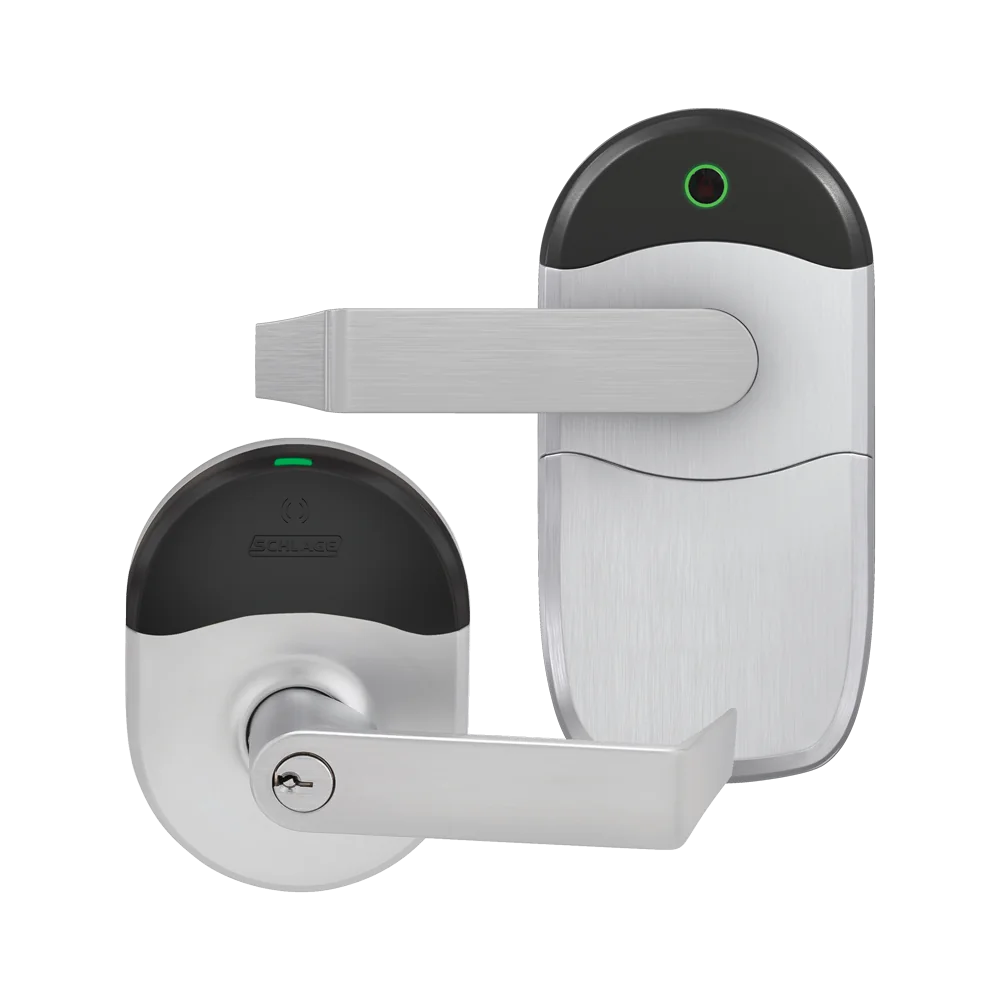
NDE is built on Schlage ND cylindrical hardware and is intended to extend electronic access control to interior and other suitable openings. It can operate offline or No-Tour, connect periodically over Wi-Fi, or use a GWE and supported PACS for real-time operation. Current models support Bluetooth and NFC/mobile workflows, smart credentials and selected proximity options.
The exact NDE generation matters. Current Schlage release notes distinguish NDEB from earlier NDE firmware branches. Record the label, reader option and firmware before planning an update or credential migration.
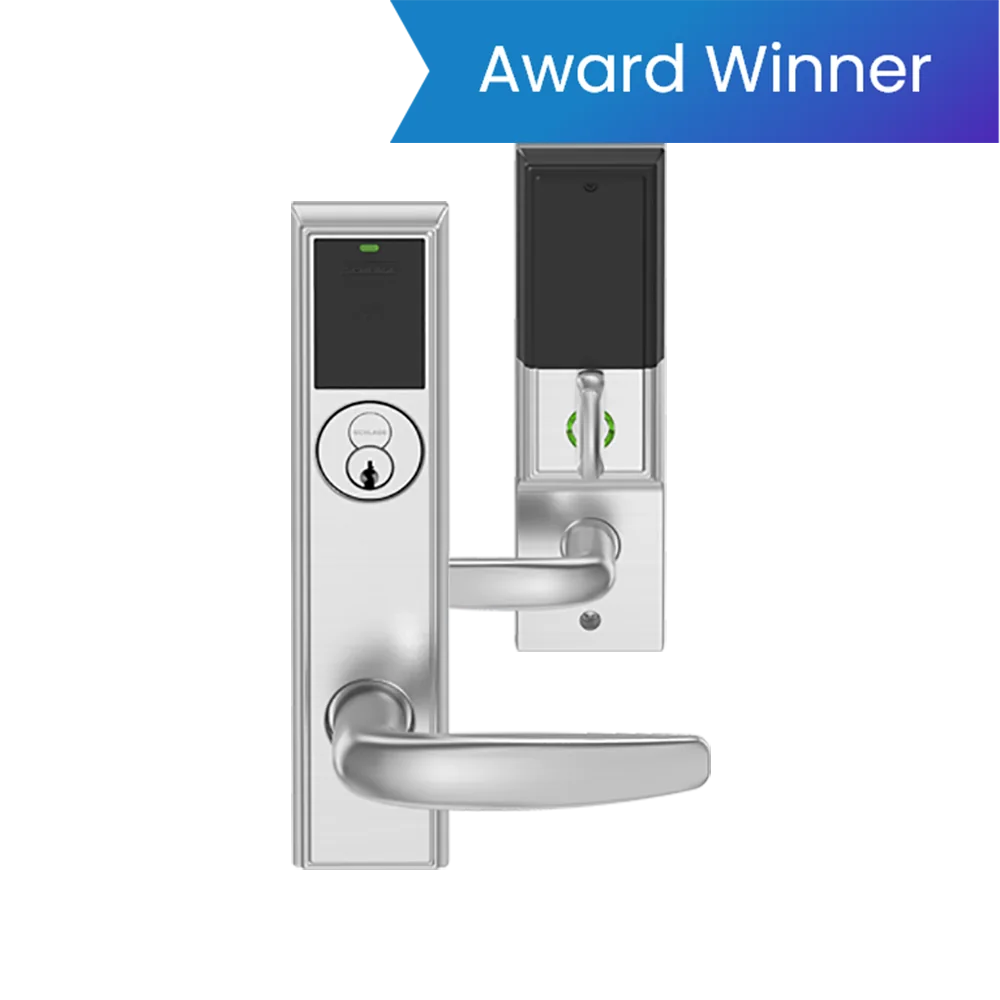
LE provides similar ENGAGE architecture on Schlage L Series Grade 1 mortise hardware. It suits openings that need mortise functions, deadbolt or privacy choices that a cylindrical chassis cannot provide. Like NDE, it can participate in offline, No-Tour, periodic Wi-Fi or supported gateway/PACS designs.
Do not select LE solely because the existing door has a mortise pocket. Verify the exact function, lever and cylinder, door thickness, fire label, egress, lock monitoring and secure-side privacy requirements.
Control targets multifamily unit doors
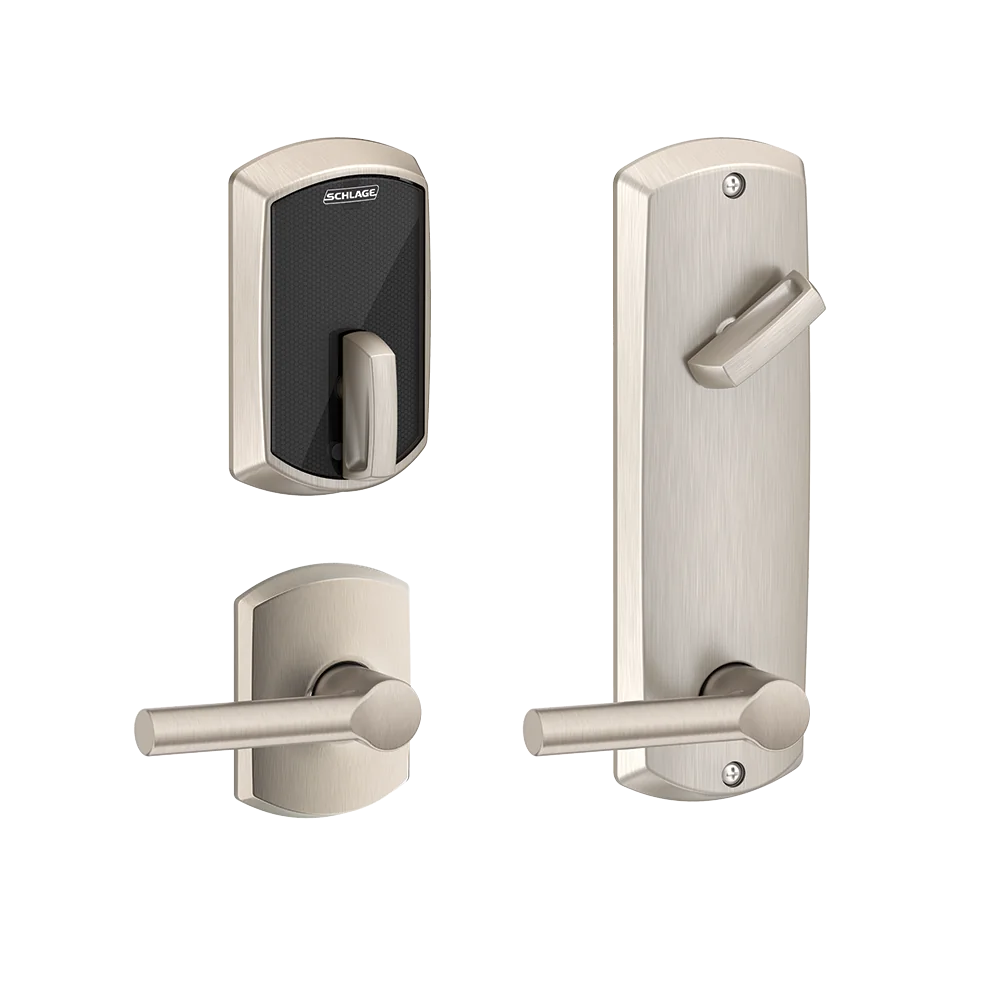
Schlage Control is offered as a deadbolt or interconnected lock, with single-motion egress on the interconnected configuration. It supports smart and mobile credential workflows, No-Tour administration, offline programming and supported gateway-based real-time operation. Schlage publishes an audit reference of up to 1,000 events and AES-256 protection for data and communications.
Control is not a substitute for a Grade 1 commercial lock at every opening. The public product certifications identify Grade 2 standards for the relevant deadbolt and interconnected models. Use it where the residential-unit door, code requirements, property platform and operational workflow match the product.
Resident lifecycle
Define move-in, move-out, staff access, vendor credentials, roommate changes, lost phones, emergency entry and privacy.
Unit-door preparation
Confirm deadbolt or interconnected prep, backset, door thickness, fire rating, handing and cylinder/key policy.
Property integration
Name the supported PACS or Proptech integration, API owner, source of resident data, failure mode and audit responsibility.
Battery service
Set proactive replacement thresholds, authorized entry procedure, spare stock, emergency power/override process and documentation.
ENGAGE capacity must be tied to the chosen mode
| Device family | Current ENGAGE data-sheet reference | Interpretation |
|---|---|---|
| NDE / LE / CTE | Up to 100 devices and 5,000 credentials in the referenced ENGAGE arrangement. | Confirm software/PACS mode, local device capacity, audit behavior and licensed property size for the installed release. |
| XE360 | Up to 250 devices and 2,000 credentials in the referenced arrangement. | Do not transpose XE360 limits to NDE/LE or to a third-party PACS integration without current documentation. |
| Schlage Control | Up to 500 devices and 500 credentials in the referenced arrangement. | A multifamily property can exceed credential counts through staff, residents, vendors and mobile replacements; count real lifecycle records. |
| Audit references | ENGAGE materials identify high aggregate audit capacity while device-local storage varies. | Specify event retention, collection interval, offline behavior, evidence export and response to a full or unreachable device. |
Capacity note: these values are public manufacturer references, not a proposal. Verify current ENGAGE, PACS and device documents before design approval.
Choose the update path deliberately
Wireless site survey and battery engineering
Wireless locks trade door cabling for radio, battery and software dependencies. Survey at the actual reader height with doors closed, occupied spaces active and representative Wi-Fi or gateway traffic. Record RSSI or the manufacturer-approved radio result, channel/interference observations, gateway distance and obstructions.
- Document supported Wi-Fi band, authentication, certificates, DHCP/static addressing, DNS/NTP and firewall paths.
- Keep gateway and network-switch power on an appropriate UPS and alarm both power and communication loss.
- Estimate battery service from real traffic, radio mode, environment and credential use; do not promise the laboratory maximum.
- Set replacement thresholds, route low-battery alarms, stock the correct batteries and train authorized staff on emergency entry.
- Test offline credential decisions, passage/privacy schedules, audit buffering and reconnection after a prolonged outage.
Firmware and software updates belong to change control
Schlage publishes separate release notes for XE360, NDE/NDEB, LE/LEB, Control, gateways, CTE, MTB readers and software. Release dates and version numbers change. Before an update, inventory every device, identify prerequisites, verify the ENGAGE app or PACS integration, back up configuration, pilot representative doors and retain a recovery procedure.
Use the official ENGAGE family resource and release-note pages below. We link to the manufacturer and do not host firmware or software locally.
Continue to AD Series, CTE and reader controllers
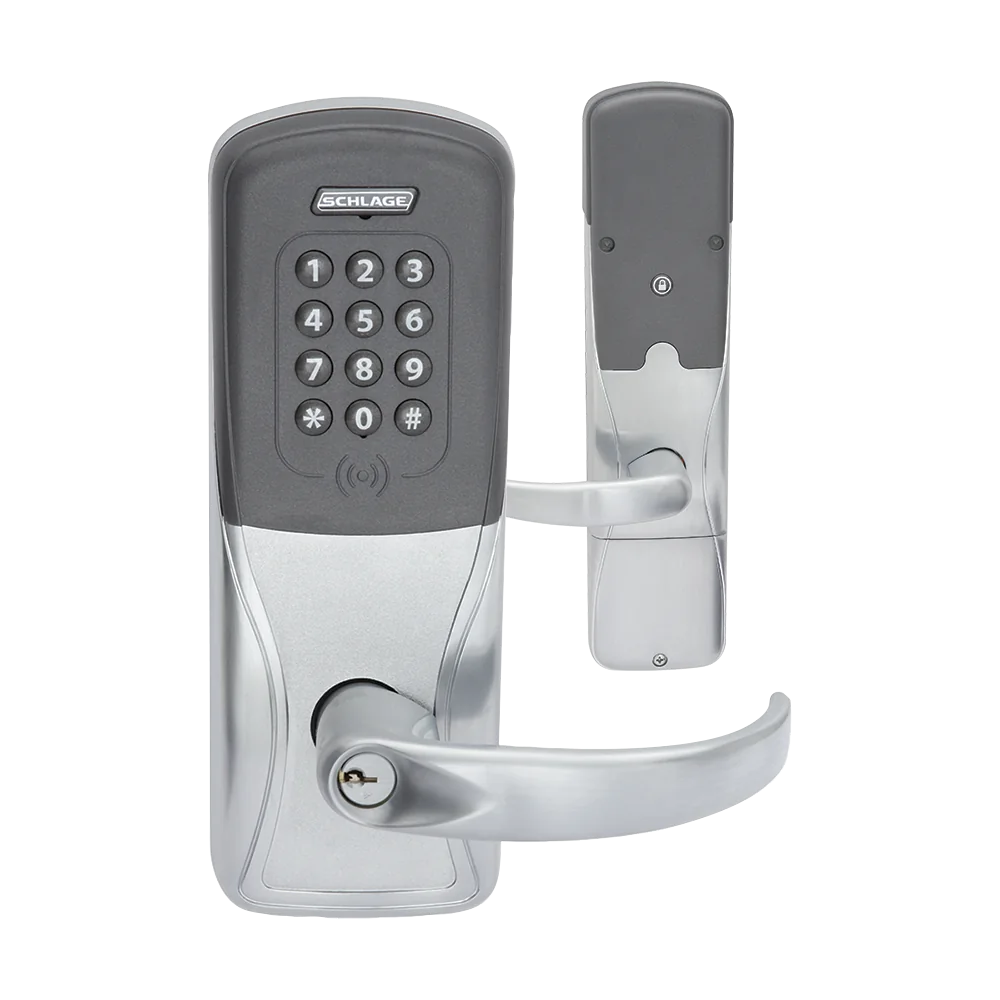
AD Series, CTE, readers and integrations
Compare AD-200/300/400, CTE with MTB11/15, RC IP reader controllers, gateways, credentials and PACS architecture.
Schlage wireless locks survey, commissioning and handoff
- Survey the opening: record door, frame, handing, lock and exit-device function, fire label, free egress, accessibility, cylinder, contact, request-to-exit and available pathways.
- Inventory technology: capture the exact model, hardware generation, reader option, credential technologies, firmware, hub or gateway, controller, software release, integration and license.
- Engineer infrastructure: document network segment, addressing, PoE or listed power, standby runtime, voltage drop, radio coverage, time service, certificates and monitoring.
- Commission every workflow: test valid, denied, expired and disabled credentials; schedules; privacy; passage; lockdown; remote commands; alarms; mobile access and mechanical override.
- Exercise failures: disconnect the server, network, gateway or hub, lock power and utility power, then verify local decisions, free egress, event buffering, alarms and recovery.
- Deliver lifecycle records: provide drawings, door schedule, configuration backup, version matrix, test results, training, spares, account ownership and links to official support.
Official product, support and download resources
Use current manufacturer pages for product specifications, device compatibility, installation and release notes. Do not use unofficial firmware mirrors.
Choose the wireless mode before ordering the lock
We can survey Carolina openings, Wi-Fi and gateway coverage, then build the exact XE360, NDE, LE or Control schedule and acceptance plan.
Official Schlage software, firmware and support
Use these manufacturer-owned portals for current downloads, release notes, manuals, advisories and technical resources. 360 Technology Group links to official sources and does not copy or host firmware files.
Update carefully: confirm the exact model, region, hardware revision, installed version, prerequisites, required intermediate releases, support entitlement, integrations, backup, maintenance window, rollback limitations and post-update tests. The wrong package or sequence can interrupt service or prevent a downgrade.
Some portals require a customer, dealer, certified-technician or active-support login. Cloud-managed products may update automatically and may not offer a public firmware file.