
Authorized dealer · Certified installers · Charlotte, NC headquarters
360 Technology Group is an authorized Brivo dealer and certified installer
We have been selling, installing, programming and servicing Brivo systems across North and South Carolina since 2019 — more than 7 years. Our scope covers Brivo Access subscriptions, ACS300, ACS6000 and ACS6100 control panels, Brivo Smart Readers, Mobile Pass and physical credentials, Brivo Door Station, visitor management and Brivo video integrations.
We were recognized as one of Brivo’s top ten dealers in 2019, and have delivered Brivo projects ranging from a single door to several hundred doors.
- Authorized Brivo dealer — we quote and supply genuine Brivo equipment, licensing and subscriptions.
- Certified Brivo installers — our technicians install, wire, program, commission and document the system.
- Repair and takeover — we service, troubleshoot, expand and take over existing Brivo installations we did not originally install.
- 24/7 emergency service — on-call service technicians for emergency repairs, plus scheduled preventive maintenance.
We cover every city in North Carolina and South Carolina from our Charlotte headquarters. Request a quote or service call Call 704-726-4254
Brivo entrance and video guide
Door Station, event video and connected workflows
Plan the entrance as a complete system: identity or visitor workflow, camera scene, intercom audio, reader and controller, lock power, network, privacy and response.
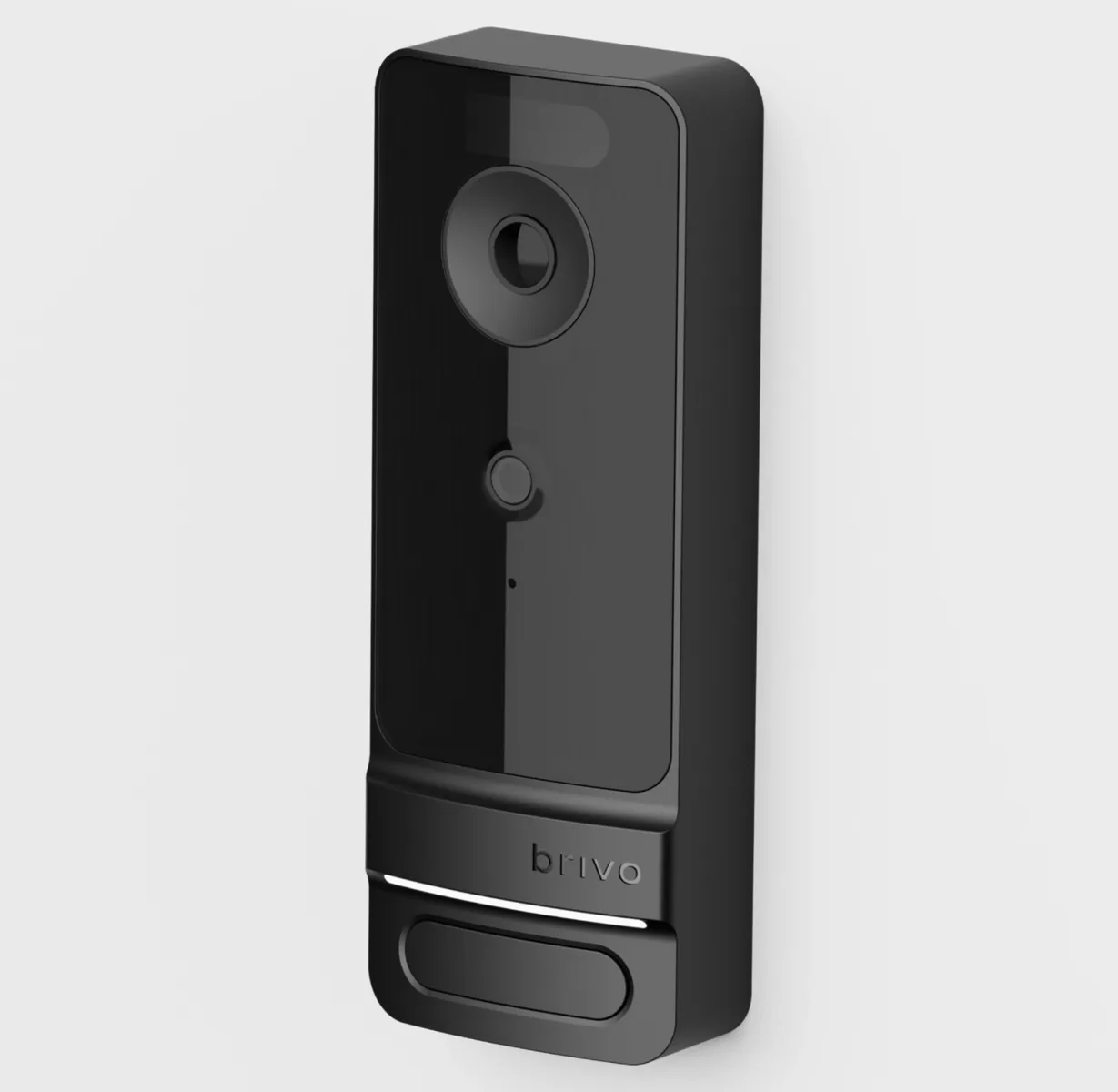
What Brivo Door Station combines
Brivo Door Station is an entrance device offered in packages that can combine credential reading, event-driven video, two-way video intercom and consent-based facial authentication. The selected package matters: a basic video workflow is not the same configuration as facial authentication and video intercom.
Brivo publishes Power over Ethernet and Brivo connectivity as part of the product approach. The secure door controller, lock power, egress, contact, fire-alarm relationship, network switch and answering endpoint remain part of the project design.
| Door Station item | Published reference | Project check |
|---|---|---|
| Device size | Approximately 7.1 x 2.6 x 1.6 inches. | Confirm mounting surface, backbox or cable entry, accessible height, weather exposure and door-swing conflicts. |
| With shield | Approximately 7.4 x 3.0 x 2.3 inches. | Verify the selected shield or trim and wall clearances on the elevation. |
| Power and network | PoE and Brivo connectivity are published product features. | Calculate switch PoE budget, UPS runtime, VLAN/firewall policy, addressing and service-disruption behavior. |
| Video and audio | Camera, microphone, call control and video-intercom workflows vary by package. | Test representative daylight, backlight, nighttime, noise, echo, delay and remote release. |
| Facial authentication | Available in selected packages using a badge photo and user consent. | Obtain organizational approval, define enrollment and alternatives, and verify current regional/privacy requirements. |
Door Station connection architecture
Video tied to access events
Brivo video products can associate camera footage with access events, allowing authorized users to move from a door event to relevant live or recorded video. This can reduce investigation time, but only if the camera scene, clock, event mapping and retention meet the actual operational need.
Brivo publishes cloud-retention choices ranging from seven days to two years depending on the selected package and service. Treat that as a product range, not a promised project retention. Calculate required days, recording behavior, camera count, resolution, bandwidth, export frequency, legal hold and privacy restrictions before selecting a subscription.
Scene and identification
Use representative subjects, lighting and movement to prove the scene can answer the intended question; device resolution alone is not acceptance.
Event association
Verify granted, denied, forced, held, intercom and remote-release events open the intended camera and time window.
Retention and health
Name the retention package, recording mode, health alerts, responsible reviewer and response to a camera or internet outage.
Search and export
Test role-based search, clip playback, timestamp, watermark or metadata, export format and chain-of-custody procedure.
Privacy
Restrict viewing and exports, document retention and notice, mask or reposition where appropriate and record administrative actions.
Bandwidth and PoE
Calculate camera and Door Station traffic, uplink capacity, PoE budget, UPS runtime and remote viewing demand.
Integration design and acceptance
Brivo supports integrations across identity, visitor, video, intercom, property, elevator, intrusion and other building workflows through documented products, partners and APIs. An integration logo is not a complete scope. The proposal should name the exact products, versions, subscription, authentication method, synchronized fields, data direction and support boundary.
| Integration area | Define before implementation | Prove at acceptance |
|---|---|---|
| Identity / HR | Authoritative person record, groups, approval, activation, termination and reconciliation. | Create, change, suspend and terminate test users without orphaned access. |
| Visitor / intercom | Sponsor, check-in, call routing, temporary credential, door release and expiration. | Pre-registered, walk-in, host unavailable, after-hours and expired-guest tests. |
| Video | Camera-to-door map, event windows, permissions, retention, export and health. | Representative day/night scenes, linked events, search, export and outage recovery. |
| Elevator / destination | Floors, schedules, reader/controller points, fire-service boundaries and fallback. | Authorized, denied, service mode, controller/network outage and emergency behavior. |
| Intrusion / alarms | Arming authority, inputs, outputs, monitoring, schedules and false-alarm prevention. | Normal, alarm, acknowledgement, reset, communication loss and after-hours escalation. |
| API / custom workflow | Endpoint, scopes, secrets, rate limits, error handling, versioning, logs and owner. | Success, invalid data, duplicate data, timeout, retry, revocation and recovery tests. |
Door Station and video acceptance checklist
- Verify mounting, weather and impact exposure, PoE, network, grounding, cable protection and service access.
- Test card/mobile presentation, call initiation, answer, audio intelligibility, video, remote release and door confirmation.
- Test facial authentication only if selected and approved, including consent, false rejection, alternative access and revocation.
- Capture accepted day, night, backlit and busy-background reference images.
- Test video-event association, search, retention, export and role permissions.
- Exercise power, PoE switch, internet, Brivo service, answering endpoint and lock-power interruptions.
- Deliver device inventory, subscriptions, configuration, privacy decisions, diagrams, tests and official support links.
Official Brivo product and support resources
Use Brivo-owned pages for current specifications, manuals, release notes, firmware status and application access. Availability, subscriptions and supported combinations can change.
Design a Brivo entrance and video workflow
We can survey the entrance, test the scene and audio environment, coordinate door hardware and produce a package-specific Door Station, video and integration scope.
Official Brivo software, firmware and support
Use these manufacturer-owned portals for current downloads, release notes, manuals, advisories and technical resources. 360 Technology Group links to official sources and does not copy or host firmware files.
Update carefully: confirm the exact model, region, hardware revision, installed version, prerequisites, required intermediate releases, support entitlement, integrations, backup, maintenance window, rollback limitations and post-update tests. The wrong package or sequence can interrupt service or prevent a downgrade.
Some portals require a customer, dealer, certified-technician or active-support login. Cloud-managed products may update automatically and may not offer a public firmware file.