
Authorized dealer · Certified installers · Charlotte, NC headquarters
360 Technology Group is an authorized 2N dealer and certified installer
We have been selling, installing, programming and servicing 2N systems across North and South Carolina since 2018 — more than 8 years. Our scope covers 2N IP intercoms, Access Unit readers, indoor stations, My2N and Access Commander management platforms.
- Authorized 2N dealer — we quote and supply genuine 2N equipment, licensing and subscriptions.
- Certified 2N installers — our technicians install, wire, program, commission and document the system.
- Repair and takeover — we service, troubleshoot, expand and take over existing 2N installations we did not originally install.
- 24/7 emergency service — on-call service technicians for emergency repairs, plus scheduled preventive maintenance.
We cover every city in North Carolina and South Carolina from our Charlotte headquarters. Request a quote or service call Call 704-726-4254
North Carolina and South Carolina planning guide
2N IP Intercoms
The right role for 2N IP Intercoms depends on current conditions and the organization’s operating model. The sections below organize product information into questions a project team can verify, price and test.
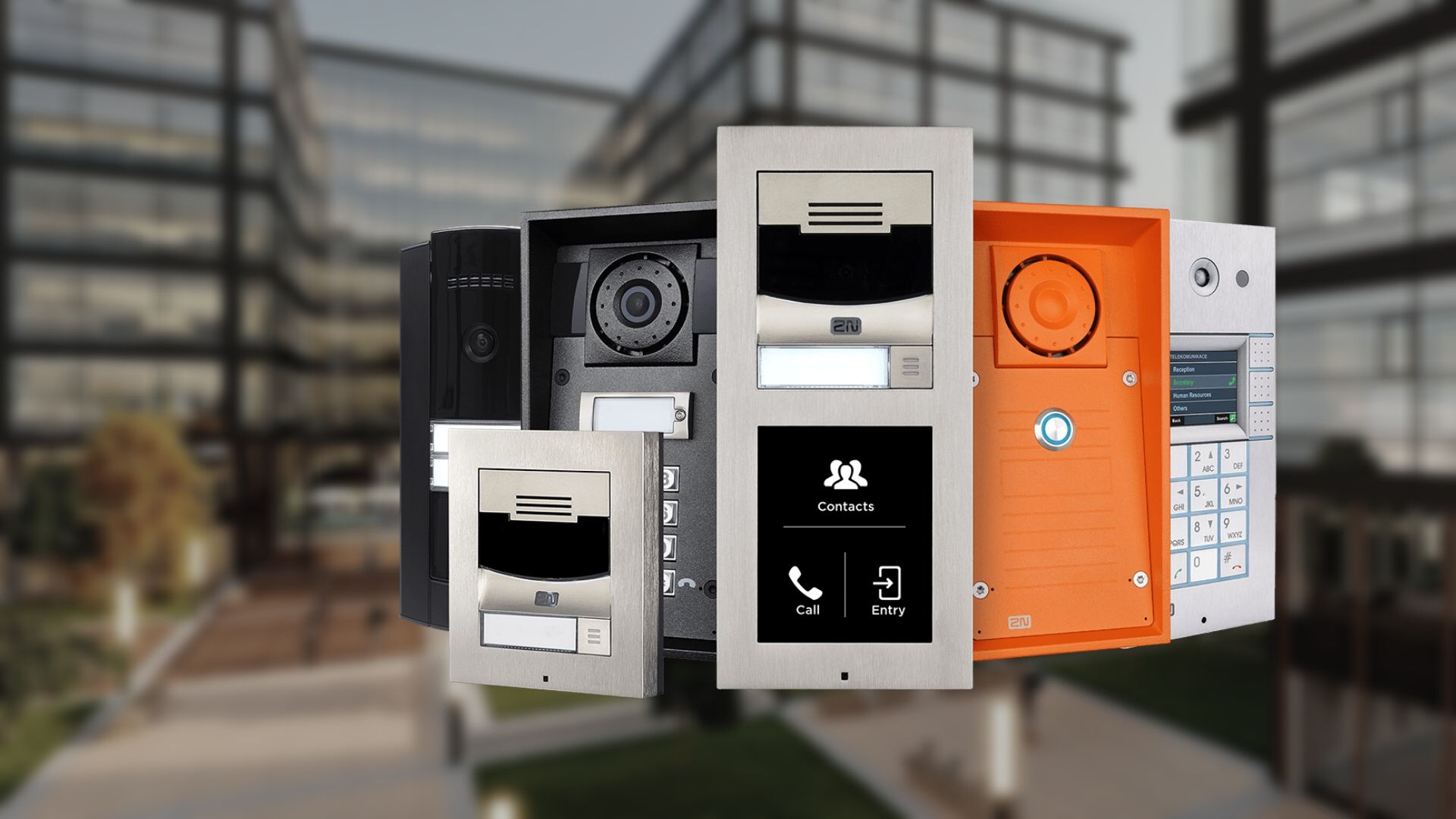
Start with the decision, not the catalog
360 Technology Group evaluates 2N IP Intercoms as part of a complete intercom, visitor-entry and communications system. The recommendation should follow a field-verified problem statement, not a presumption that every published feature belongs in the project.
Discovery documents the current equipment, affected users, desired workflows, required integrations, security and privacy expectations, project constraints and measurable acceptance criteria. That evidence creates a fair basis for comparing reuse, migration and replacement.
For Carolina facilities, the scope should also account for occupied work areas, weather exposure, lightning and surge conditions, local construction coordination, network readiness, service access and the owner’s long-term administration model.
Detailed product and planning guides
Each card below opens a published guide with deeper product-family, design or implementation information.
2N Intercom, Access Control and Management Platform Installation, Repair, Dealer, Reseller and Maintenance
Open the detailed product, design or implementation guide.
2N Access Units and Smart Readers
Open the detailed product, design or implementation guide.
2N Indoor Stations and My2N App
Open the detailed product, design or implementation guide.
2N Management Platforms and Elevator Communication
Open the detailed product, design or implementation guide.
2N Intercom, Access Reader, Indoor Station and Management Platform Guide
Open the detailed product, design or implementation guide.
Capabilities and selection checkpoints
The cards in this section summarize information to evaluate; they are not separate pages. Availability and compatibility can change, so final models and releases must be confirmed against current manufacturer resources.
Product capabilities worth comparing
Treat this as a design checkpoint; the final selection depends on field conditions and supported releases.
What this product family does
Confirm which current models, editions, licenses and dependencies support this requirement before procurement.
Products and decisions
Treat this as a design checkpoint; the final selection depends on field conditions and supported releases.
Questions to answer before quoting
Document who configures, tests, administers and supports this function after the project is accepted.
Entrance type, visitors and call destinations
Review compatibility, capacity, infrastructure and lifecycle implications with the complete system design.
SIP, VMS, access-control and directory integrations
Review compatibility, capacity, infrastructure and lifecycle implications with the complete system design.
PoE/network, cybersecurity and remote management
Document who configures, tests, administers and supports this function after the project is accepted.
Weather, vandal, ADA and mounting constraints
Document who configures, tests, administers and supports this function after the project is accepted.
Who owns administration, backups, updates and recurring services?
Connect this capability to a named user workflow and a testable result at the actual facility.
What must continue working during network, internet or power failure?
Treat this as a design checkpoint; the final selection depends on field conditions and supported releases.
Which opening, egress, accessibility and life-safety requirements apply?
Connect this capability to a named user workflow and a testable result at the actual facility.
What training, documentation and preventive maintenance are required?
Connect this capability to a named user workflow and a testable result at the actual facility.
Evidence to collect before design
A useful survey and stakeholder review should produce the following project evidence for 2N IP Intercoms:
- Visitor, resident, employee, delivery, reception and after-hours call paths from arrival through release.
- Directory size, call routing, mobile-app use, accessibility, privacy and fallback operation.
- Door hardware, access control, cameras, elevator controls and property-management integrations.
- Audio intelligibility, camera field of view, mounting height, lighting and weather exposure.
- PoE, network, cellular, cloud subscription, tenant onboarding and administrator-account requirements.
- Acceptance scenarios for unanswered calls, outages, revoked users, emergency access and directory changes.
Architecture and integration review
Arrival experience
Map how each visitor type is identified, routed, approved and admitted.
Call resilience
Define alternate destinations and local behavior when a person, app, network or cloud service is unavailable.
Release control
Coordinate unlocking, elevator access, video verification and event logging as one workflow.
Directory ownership
Assign tenant, resident, employee and contact-list maintenance to a named role.
Accessibility
Review mounting, visual and audible feedback, call controls and user assistance requirements.
Operational handoff
Test real calls and leave administrators with documented enrollment and support procedures.
Compare proposals on the same evidence
Product names and device counts do not make competing proposals equivalent. Ask each bidder to identify assumptions, exclusions, supported versions, owner responsibilities and the proof that will be delivered at acceptance.
| Comparison area | Evidence a complete proposal should provide |
|---|---|
| Fit for the operating need | A written explanation of how 2N IP Intercoms supports the required users, events and workflows. |
| Compatibility | A supported-parts, software, license and integration matrix tied to the proposed architecture. |
| Infrastructure | Documented power, network, pathways, environmental and owner-furnished dependencies. |
| Acceptance | Named tests, expected results, exception handling and responsibility for correcting deficiencies. |
| Lifecycle | Current support status, update approach, warranty, subscriptions, spares and replacement planning. |
Deployment and acceptance sequence
- Discovery: agree on users, operating outcomes, retained systems, constraints and acceptance criteria.
- Field validation: verify dimensions, infrastructure, environmental conditions, pathways, power, network and integration points.
- Documented design: name the architecture, supported components, licenses, responsibilities, assumptions and change process.
- Staging and implementation: prepare configuration, backups, labels and test scripts before controlled field deployment.
- Operational acceptance: exercise normal use, exceptions, outages and recovery; then deliver training and system records.
Software, firmware and lifecycle responsibility
Record the installed model, hardware revision, software or firmware release, license or subscription, warranty and administrator ownership at handoff. Those details make later troubleshooting and upgrade planning materially safer.
Downloads, release notes, advisories and manuals should come from the manufacturer’s official portal. 360 Technology Group links to official resources and does not host firmware files locally. Some portals require an authorized customer, dealer or support entitlement.
Before any update, confirm the exact model and region, prerequisites, supported intermediate releases, backup, maintenance window, integration compatibility, rollback limits and post-update test plan. Cloud-managed products may control release timing differently from locally managed systems.
Build a project-specific comparison
Share the facility type, Carolina location, existing platform, approximate device count, operating problem, required integrations and target schedule. 360 Technology Group can use that context to determine whether 2N IP Intercoms deserves a detailed site and design review.
2N owner, administrator and buyer resources
Use these owner and buyer guides to connect software, manuals, compatibility and pricing research with surveyed installation, commissioning, maintenance and support in North and South Carolina.
Official 2N software, firmware and support
Use these manufacturer-owned portals for current downloads, release notes, manuals, advisories and technical resources. 360 Technology Group links to official sources and does not copy or host firmware files.
Update carefully: confirm the exact model, region, hardware revision, installed version, prerequisites, required intermediate releases, support entitlement, integrations, backup, maintenance window, rollback limitations and post-update tests. The wrong package or sequence can interrupt service or prevent a downgrade.
Some portals require a customer, dealer, certified-technician or active-support login. Cloud-managed products may update automatically and may not offer a public firmware file.