
Authorized dealer · Certified installers · Charlotte, NC headquarters
360 Technology Group is an authorized Paxton dealer and certified installer
We have been selling, installing, programming and servicing Paxton systems across North and South Carolina since 2018 — more than 8 years. Our scope covers Paxton Net2 and Paxton10 systems, PaxLock wireless door hardware, Paxton Entry video intercom, readers, keypads and credentials.
- Authorized Paxton dealer — we quote and supply genuine Paxton equipment, licensing and subscriptions.
- Certified Paxton installers — our technicians install, wire, program, commission and document the system.
- Repair and takeover — we service, troubleshoot, expand and take over existing Paxton installations we did not originally install.
- 24/7 emergency service — on-call service technicians for emergency repairs, plus scheduled preventive maintenance.
We cover every city in North Carolina and South Carolina from our Charlotte headquarters. Request a quote or service call Call 704-726-4254
Paxton wireless lock guide
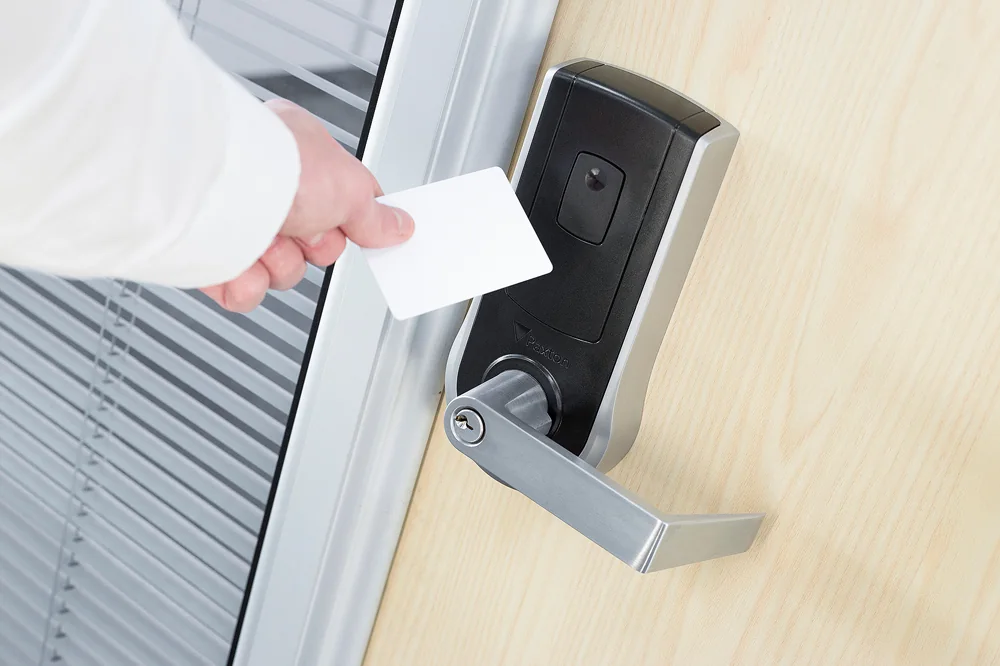
PaxLock Pro wireless electronic door hardware
PaxLock can reduce wiring disruption on suitable openings, but it still requires a door survey, compatible lock preparation, wireless design, battery service plan and documented emergency behavior.
Published planning figures
Paxton technical data for applicable PaxLock Pro variants provides the following reference figures. Confirm the exact US model, trim, lock body and current technical data sheet before procurement.
| Item | Published reference | Design implication |
|---|---|---|
| Battery | Four AA 1.5 V alkaline batteries. | Define approved batteries, replacement interval, low-battery response and responsible party. |
| Battery operation | Published reference up to approximately 55,000 operations. | Traffic, temperature, radio conditions and user behavior can reduce actual service life. |
| Typical traffic | Reference of up to about 75 uses per day for the cited variant. | High-traffic or perimeter openings may be better served by wired hardware. |
| Wireless range | Typical published reference around 15 m / 50 ft. | Survey walls, metal, doors, interference and bridge or connector placement at the actual site. |
| Platforms | Selected models operate with Net2 or Paxton10 wireless infrastructure. | Confirm model, firmware, connector/bridge capacity, credentials and supported release. |
Wireless connection path
Where PaxLock fits—and where it may not
Good candidate
Interior offices, classrooms, amenities or similar openings with compatible preparation and manageable traffic.
Survey carefully
Fire-rated assemblies, heavy doors, unusual handing, weather exposure, accessibility and existing mechanical key systems.
Consider wired control
High-traffic, perimeter, high-security or continuously monitored openings may justify wired controllers and powered locks.
Maintenance responsibility
Battery replacement, firmware, spare parts, audit checks and mechanical service need named ownership.
Official Paxton product resources
Use Paxton-owned pages for current models, release notes, manuals, technical data and software access. Product availability and specifications can change.
PaxLock handoff and maintenance register
Record each lock’s door name, model, finish, handing, credential technology, wireless path, firmware, mechanical keying, battery installation date and responsible maintainer. Configure alerts so a low-battery or communication condition reaches a team that can act before the opening becomes unreliable. Keep approved replacement batteries and any required service tools under controlled ownership.
After installation, recheck latch alignment and closer operation with normal HVAC pressure and seasonal seals. Wireless status cannot compensate for a door that does not physically close and latch.
Survey doors for PaxLock
We can verify the door, lock preparation, traffic, credentials and wireless path before recommending PaxLock or a wired alternative.
Wireless locks still require a door-by-door survey
PaxLock can reduce new control cabling at suitable interior openings, but it does not remove the need to inspect the door. Survey the handing, backset, thickness, frame condition, latch engagement, closer, seals, exit hardware, fire label and accessibility requirements. A wireless lock installed on a dragging or misaligned door will consume more service effort and may not secure reliably.
Radio path
Measure or test communication at the installed lock height with doors closed and the building occupied. Record the hub or bridge location and investigate metal, concrete, elevator and utility-room obstructions.
Battery operations
Assign responsibility for battery alerts, replacement intervals, stocked spares and after-hours response. The owner should know what local access behavior remains if wireless communication is unavailable.
Emergency and code behavior
Confirm free egress, fire-door compatibility, key override, lockdown expectations and any required inspection with the project’s door-hardware and life-safety professionals.
Pilot representative doors first
Use a pilot that includes the most difficult frame, a high-traffic opening and a radio-challenged location. Validate credential speed, latch operation, event reporting, battery status and administrator workflows before ordering the full lock schedule.
Paxton owner, administrator and buyer resources
These owner and buyer guides connect Paxton software and hardware research with surveyed design, installation, commissioning, database protection, maintenance and field support in North and South Carolina.
Official Paxton software, firmware and support
Use these manufacturer-owned portals for current downloads, release notes, manuals, advisories and technical resources. 360 Technology Group links to official sources and does not copy or host firmware files.
Update carefully: confirm the exact model, region, hardware revision, installed version, prerequisites, required intermediate releases, support entitlement, integrations, backup, maintenance window, rollback limitations and post-update tests. The wrong package or sequence can interrupt service or prevent a downgrade.
Some portals require a customer, dealer, certified-technician or active-support login. Cloud-managed products may update automatically and may not offer a public firmware file.