
Authorized dealer · Certified installers · Charlotte, NC headquarters
360 Technology Group is an authorized Brivo dealer and certified installer
We have been selling, installing, programming and servicing Brivo systems across North and South Carolina since 2019 — more than 7 years. Our scope covers Brivo Access subscriptions, ACS300, ACS6000 and ACS6100 control panels, Brivo Smart Readers, Mobile Pass and physical credentials, Brivo Door Station, visitor management and Brivo video integrations.
We were recognized as one of Brivo’s top ten dealers in 2019, and have delivered Brivo projects ranging from a single door to several hundred doors.
- Authorized Brivo dealer — we quote and supply genuine Brivo equipment, licensing and subscriptions.
- Certified Brivo installers — our technicians install, wire, program, commission and document the system.
- Repair and takeover — we service, troubleshoot, expand and take over existing Brivo installations we did not originally install.
- 24/7 emergency service — on-call service technicians for emergency repairs, plus scheduled preventive maintenance.
We cover every city in North Carolina and South Carolina from our Charlotte headquarters. Request a quote or service call Call 704-726-4254
Brivo security-suite planning
Brivo Access, field hardware and connected building workflows
Start with Brivo Access and the operating model, then select panels, readers, credentials, Door Station, visitor management, video and integrations that can be documented and tested at the facility.
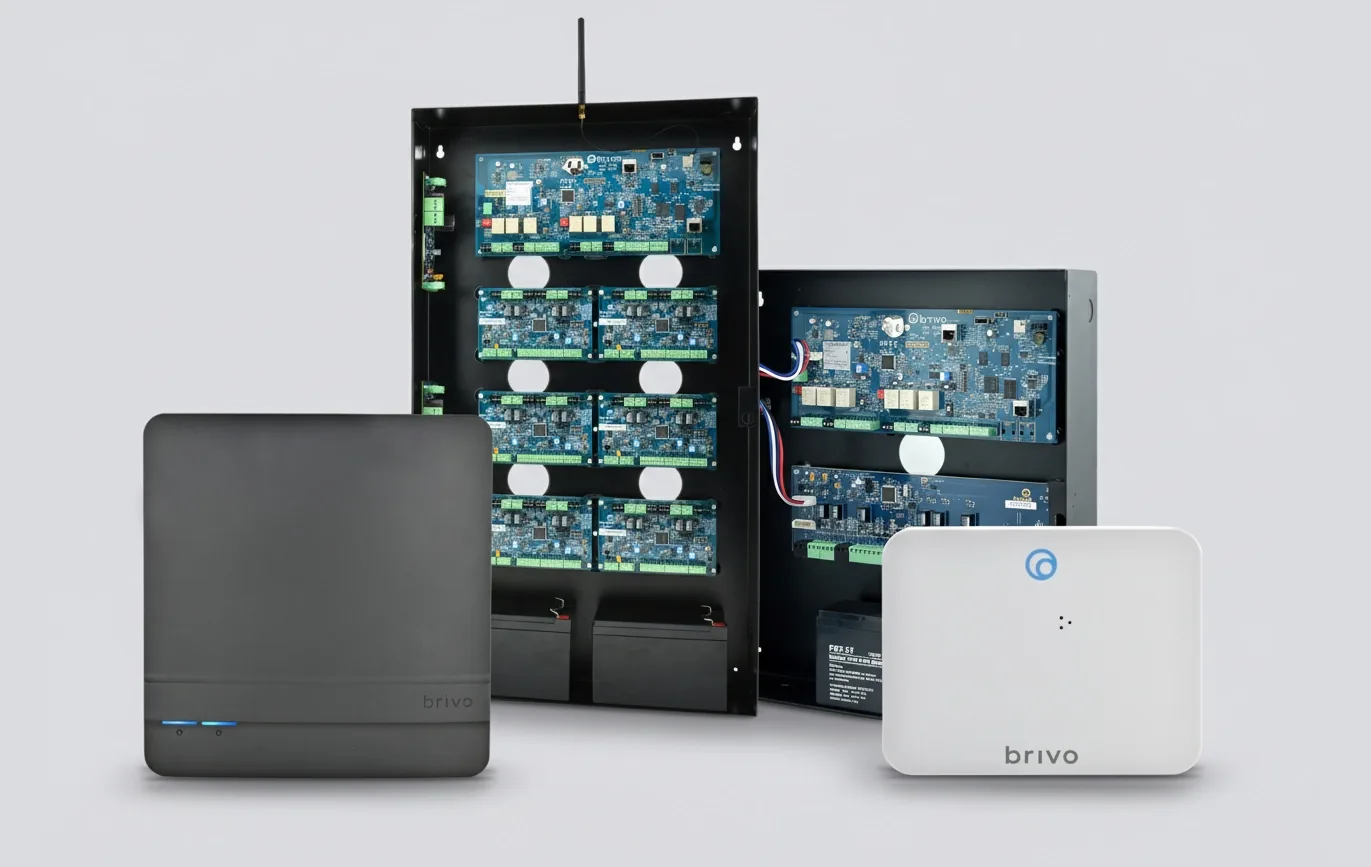
Brivo Access is the operating layer, not just a door schedule
Brivo Access is a cloud-managed access-control platform that can connect identity, credentials, door events, video, visitor workflows, alarms and approved integrations. A useful design begins with the owner’s operating model: who creates users, how sites are separated, how access is approved, which events demand action and what must continue when internet service is interrupted.
Brivo offers multiple Access editions. Features, included mobile credentials, reporting depth, video options and integration entitlements vary by edition and can change. The proposal should name the selected edition, subscriptions, retained integrations and administrator responsibilities instead of describing every Brivo feature as automatically included.
Cloud administration
Manage people, credentials, schedules, doors and events across authorized sites with role-based administration and documented account controls.
Mobile and wallet credentials
Use Brivo Mobile Pass or supported Apple Wallet and Google Wallet workflows only after verifying phones, readers, enrollment, licenses and alternatives.
Video linked to access events
Associate live or recorded video with door activity, then test scene quality, timestamps, search, retention, export and privacy requirements.
Visitor and guest access
Coordinate pre-registration, check-in, host notification, badge or mobile/PIN access, expiration and audit responsibility.
Door Station
Combine a camera, intercom, access event video and selected facial-authentication capability at an entrance with a documented visitor workflow.
Integrations and API
Validate the exact supported connector, subscription, data owner, version, event mapping and failure behavior for every third-party system.
Cloud access-control architecture
The diagram is intentionally functional. Final drawings must add exact terminals, cable types, network switch ports, power calculations, fire-alarm behavior and responsibility at every opening.
Choose the field architecture before choosing a feature list
Brivo supports several controller approaches, from a single-opening reader/controller to modular ACS6000 and ACS6100 families and approved Mercury open-architecture hardware. They do not create equivalent wiring, power, offline behavior or migration paths.
Door count alone is not enough. Count readers, door contacts, exit devices, relay outputs, supervised inputs, elevators, wireless locks and spare capacity. Then map enclosures, circuits, batteries, lock loads, communications and service access.
| Panel family | Published role | Planning focus |
|---|---|---|
| ACS6000 / ACS6008 | Native-IP modular platform supporting up to 30 readers with expansion. | Reader count, expansion-board layout, enclosure capacity, inputs/outputs, communications, standby power and lock power. |
| ACS6100 | Current Brivo panel family published for systems up to 30 doors. | Exact board and enclosure package, supported readers, available I/O, migration fit and current technical documentation. |
| ACS300 | Compact controller for as many as two doors. | Small-site fit, reader interface, lock and auxiliary power, enclosure, connectivity and future expansion. |
| ACS100 | Reader and controller combined for a single opening. | Secure mounting, network and power path, supported credentials, door hardware interface and risk at the opening. |
| ACS-SDC | Single-door Ethernet controller for Brivo Smart Readers and OSDP-compatible readers. | Secure-side placement, OSDP wiring, network, power, inputs, output and exact reader support. |
| Mercury intelligent controllers | Open-architecture controller option supported in the Brivo ecosystem. | Approved Mercury model and firmware, downstream hardware, capacity, supported features and migration responsibility. |
Detailed Brivo product-family guides
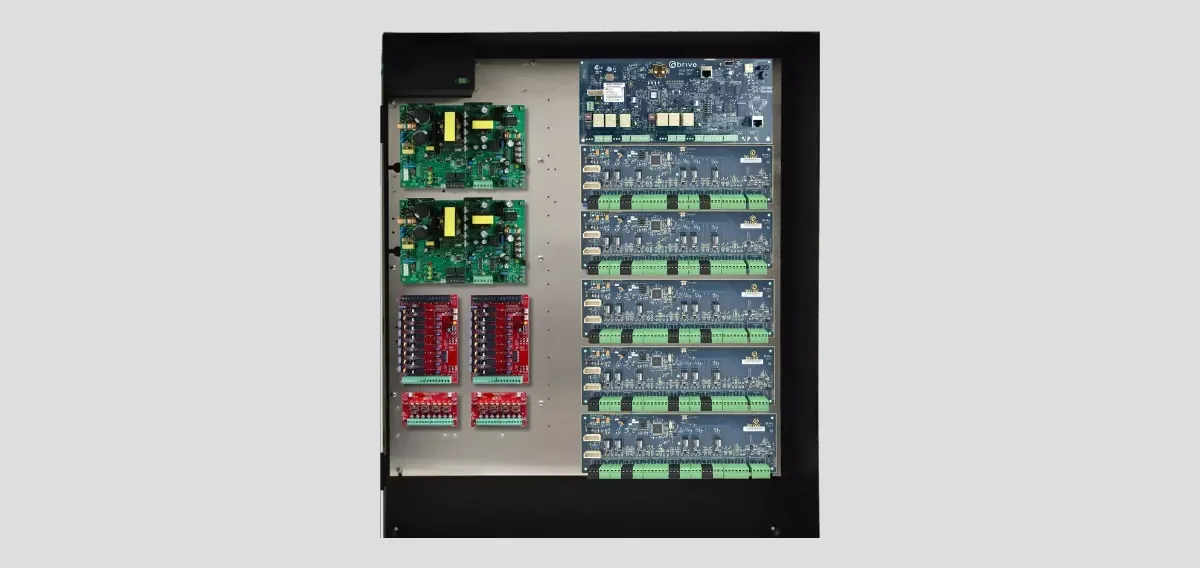
Panels, smart readers and credentials
Compare ACS6000, ACS6100, ACS300, ACS100, ACS-SDC and Mercury options; then plan OSDP, Wiegand, mobile and encrypted credentials.

Brivo Access, mobile credentials and visitors
Plan administration, Mobile Pass, wallet credentials, guest access, Envoy-powered visitor management and lifecycle ownership.
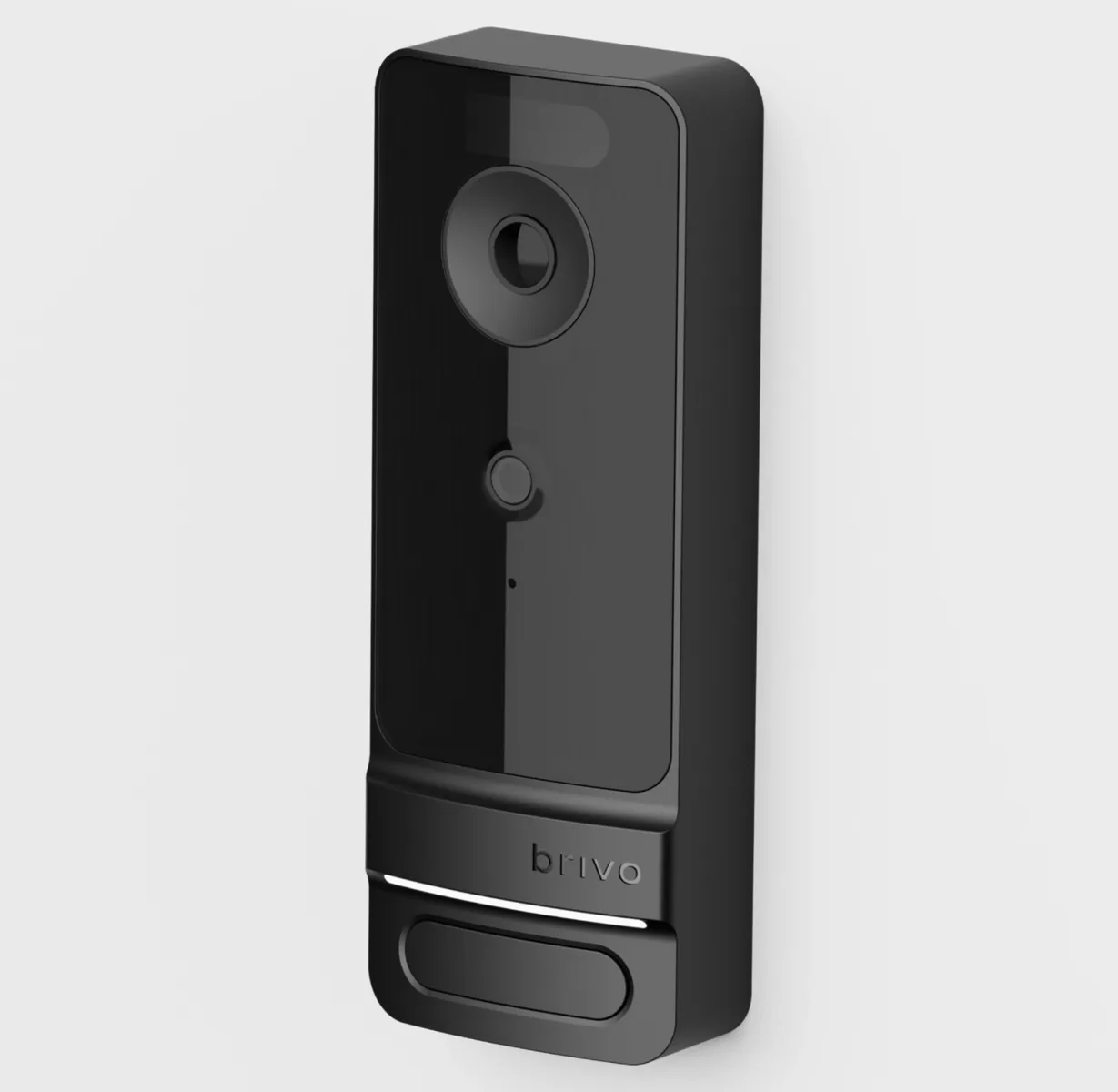
Door Station, video and integrations
Review Door Station packages, PoE, video intercom, consent-based facial authentication, event video, retention and integration acceptance.
ACS6000 reference specifications
These published limits help frame a design, but the exact panel model, chassis, boards, firmware, Access edition and supported field hardware must be confirmed before procurement.
| ACS6000 planning item | Published capability | Design implication |
|---|---|---|
| Reader capacity | Up to 30 readers with as many as 14 expansion boards. | Reserve usable expansion positions and account for each reader, door board and I/O board in the final schedule. |
| Credential storage | Online capacity follows the hosted platform; offline storage is published at up to 250,000 credentials per panel. | Define controller-offline operation, credential changes during an outage and recovery tests. |
| Offline event buffer | 60,000 events using first-in, first-out storage. | Estimate outage duration and event rate; confirm event upload, timestamps and monitoring after reconnection. |
| I/O scale | Up to 120 inputs and 118 outputs with expansion. | Document each point, supervision, normal state, activation logic, timeout and reset responsibility. |
| Reader interfaces | OSDP and Wiegand are supported. | Prefer supervised, encrypted OSDP where the complete reader/controller design supports it; document any Wiegand limitation. |
| Host communications | Ethernet and Wi-Fi are published options. | Use an approved network design, addressing, segmentation, time service, monitoring and controlled remote access. |
| Security | Published encrypted communications and storage include TLS 1.2 or later and AES-256 references. | Confirm the current panel release, certificates, account controls, logs and owner cybersecurity requirements. |
| Power warning | The 12 VDC, 3 A panel supply supports panel electronics, expansion boards and readers; it is not lock power. | Provide a listed, calculated lock-power supply with battery, fire-alarm interface and surge/suppression provisions as required. |
| Environmental reference | 32 to 125 degrees F and up to 85% relative humidity, non-condensing. | Use conditioned, serviceable indoor locations or select a suitable protected enclosure and environment. |
Evidence a complete Brivo proposal should contain
- A surveyed opening schedule showing door, frame, handing, lock function, egress, accessibility and fire-alarm relationship.
- Panel, expansion-board and I/O schedule with spare capacity, enclosure locations and offline behavior.
- Reader and credential matrix naming OSDP or Wiegand, mobile or wallet eligibility, physical-card technology and enrollment workflow.
- Power calculations for controllers, readers, locks and auxiliary devices, including battery runtime and lock-power separation.
- Network, account, role, MFA/SSO, notification, logging, backup and incident-response responsibilities.
- Video scenes, bandwidth, retention, privacy, event linkage, exports and representative acceptance images.
- Visitor, intercom, elevator, intrusion, identity and other integration workflows with supported-version evidence.
- Commissioning scripts, labels, administrator training, as-built records, subscriptions and lifecycle ownership.
Official Brivo product and support resources
Use Brivo-owned pages for current specifications, manuals, release notes, firmware status and application access. Availability, subscriptions and supported combinations can change.
Plan a Brivo system for a Carolina facility
Share the North Carolina or South Carolina site, number of openings, existing panel and reader hardware, credential policy, video or visitor needs and required integrations. We can convert that information into a field-verified Brivo architecture and acceptance plan.
Dealer, installer and lifecycle responsibility
What a Brivo access control installer should own after the equipment sale
A Brivo project is not complete when panels and readers arrive. 360 Technology Group supplies, installs, configures, commissions and supports Brivo systems for Carolina organizations. The scope can include door hardware coordination, field wiring, controller and reader installation, Brivo Access configuration, credential workflows, video or visitor integrations, administrator training, repairs and planned expansion.
Before ordering
- Confirm every opening, lock function, life-safety interface and request-to-exit method.
- Verify network, power, enclosure, battery and environmental requirements for the selected hardware.
- Choose physical, mobile and wallet credential workflows based on the people who will administer them.
- Document subscription ownership, roles, retention needs and supported integration boundaries.
Before acceptance
- Test authorized, denied, held, forced and scheduled behavior at each applicable opening.
- Exercise the documented network or power-failure response and confirm event recovery.
- Provision and revoke credentials through the approved identity process.
- Train designated administrators and provide an exception list, device schedule and support path.
If you are comparing a Brivo dealer, reseller or installer, ask who is accountable for the complete door workflow—not only the cloud account or product shipment. Discuss a Brivo installation, takeover, repair or expansion in North or South Carolina.
Brivo research center for buyers, administrators and facility teams
Use these practical guides before a new deployment, system takeover or support call. They connect product research with the field conditions, software ownership and acceptance work that determine whether a Brivo project succeeds.
Brivo access control dealers — what the dealer actually does
Brivo is sold and installed through authorized dealers rather than off a shelf, so the dealer is part of what you are buying. That matters more with cloud access control than with most products, because the platform is only as good as the way it was set up.
What we do as a Brivo dealer across the Charlotte metro and the Carolinas:
- Survey and design — which doors, what hardware each opening actually needs, and how many control panels that implies.
- Supply and installation — panels, readers, credentials, strikes and maglocks, request-to-exit, and the cabling behind all of it.
- Configuration — users, groups, schedules and door naming that a technician can follow later.
- Account ownership — the Brivo account is yours, not ours. You should never be unable to administer your own doors because of who installed them.
- Service afterwards — repairs, expansion, and takeover of Brivo systems installed by dealers who have since disappeared.
That last one is a large share of the Brivo work we do. A building changes hands, the new owner has working doors and no logins, and nobody knows which panel serves which opening. We establish that first and write it down.
Official Brivo software, firmware and support
Use these manufacturer-owned portals for current downloads, release notes, manuals, advisories and technical resources. 360 Technology Group links to official sources and does not copy or host firmware files.
Update carefully: confirm the exact model, region, hardware revision, installed version, prerequisites, required intermediate releases, support entitlement, integrations, backup, maintenance window, rollback limitations and post-update tests. The wrong package or sequence can interrupt service or prevent a downgrade.
Some portals require a customer, dealer, certified-technician or active-support login. Cloud-managed products may update automatically and may not offer a public firmware file.