
Authorized dealer · Certified installers · Charlotte, NC headquarters
360 Technology Group is an authorized Brivo dealer and certified installer
We have been selling, installing, programming and servicing Brivo systems across North and South Carolina since 2019 — more than 7 years. Our scope covers Brivo Access subscriptions, ACS300, ACS6000 and ACS6100 control panels, Brivo Smart Readers, Mobile Pass and physical credentials, Brivo Door Station, visitor management and Brivo video integrations.
We were recognized as one of Brivo’s top ten dealers in 2019, and have delivered Brivo projects ranging from a single door to several hundred doors.
- Authorized Brivo dealer — we quote and supply genuine Brivo equipment, licensing and subscriptions.
- Certified Brivo installers — our technicians install, wire, program, commission and document the system.
- Repair and takeover — we service, troubleshoot, expand and take over existing Brivo installations we did not originally install.
- 24/7 emergency service — on-call service technicians for emergency repairs, plus scheduled preventive maintenance.
We cover every city in North Carolina and South Carolina from our Charlotte headquarters. Request a quote or service call Call 704-726-4254
Brivo field-hardware guide
Controllers, smart readers and credential architecture
A reliable Brivo design matches controller capacity, reader communication, lock power, credentials and outage behavior to each surveyed opening instead of selecting parts from door count alone.
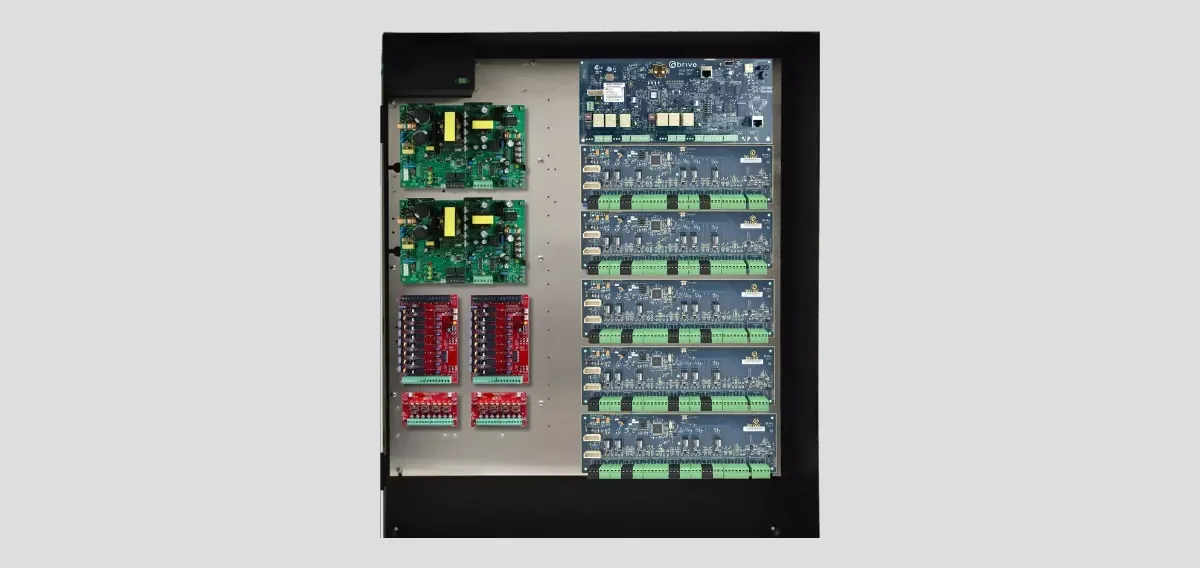
Panel-family comparison
Use the exact current data sheet for the selected model. Product-family capacity is a screening figure; usable doors and functions also depend on boards, enclosure space, inputs, outputs, reader technology, supported firmware and the Brivo Access configuration.
| Panel family | Published role | Planning focus |
|---|---|---|
| ACS6000 / ACS6008 | Native-IP modular platform supporting up to 30 readers with expansion. | Reader count, expansion-board layout, enclosure capacity, inputs/outputs, communications, standby power and lock power. |
| ACS6100 | Current Brivo panel family published for systems up to 30 doors. | Exact board and enclosure package, supported readers, available I/O, migration fit and current technical documentation. |
| ACS300 | Compact controller for as many as two doors. | Small-site fit, reader interface, lock and auxiliary power, enclosure, connectivity and future expansion. |
| ACS100 | Reader and controller combined for a single opening. | Secure mounting, network and power path, supported credentials, door hardware interface and risk at the opening. |
| ACS-SDC | Single-door Ethernet controller for Brivo Smart Readers and OSDP-compatible readers. | Secure-side placement, OSDP wiring, network, power, inputs, output and exact reader support. |
| Mercury intelligent controllers | Open-architecture controller option supported in the Brivo ecosystem. | Approved Mercury model and firmware, downstream hardware, capacity, supported features and migration responsibility. |
ACS6000 and ACS6008 design details
The ACS6000 is a modular native-IP panel family. The Brivo Access version and Brivo Onsite Server version are different models, while expansion-board architecture is shared. Current documentation identifies an ACS6000 two-board chassis and ACS6008 four-board chassis; the ordered package and expansion enclosures determine how boards can be arranged.
The main board starts the reader capacity, and door or I/O expansion boards extend the installation. A panel schedule should show every board, its position, connected points, power load and spare capacity. Do not assume the supplied panel power can operate electric locks.
| ACS6000 planning item | Published capability | Design implication |
|---|---|---|
| Reader capacity | Up to 30 readers with as many as 14 expansion boards. | Reserve usable expansion positions and account for each reader, door board and I/O board in the final schedule. |
| Credential storage | Online capacity follows the hosted platform; offline storage is published at up to 250,000 credentials per panel. | Define controller-offline operation, credential changes during an outage and recovery tests. |
| Offline event buffer | 60,000 events using first-in, first-out storage. | Estimate outage duration and event rate; confirm event upload, timestamps and monitoring after reconnection. |
| I/O scale | Up to 120 inputs and 118 outputs with expansion. | Document each point, supervision, normal state, activation logic, timeout and reset responsibility. |
| Reader interfaces | OSDP and Wiegand are supported. | Prefer supervised, encrypted OSDP where the complete reader/controller design supports it; document any Wiegand limitation. |
| Host communications | Ethernet and Wi-Fi are published options. | Use an approved network design, addressing, segmentation, time service, monitoring and controlled remote access. |
| Security | Published encrypted communications and storage include TLS 1.2 or later and AES-256 references. | Confirm the current panel release, certificates, account controls, logs and owner cybersecurity requirements. |
| Power warning | The 12 VDC, 3 A panel supply supports panel electronics, expansion boards and readers; it is not lock power. | Provide a listed, calculated lock-power supply with battery, fire-alarm interface and surge/suppression provisions as required. |
| Environmental reference | 32 to 125 degrees F and up to 85% relative humidity, non-condensing. | Use conditioned, serviceable indoor locations or select a suitable protected enclosure and environment. |
Typical controlled-opening connection
Construction-document requirement: show exact terminals and wire, OSDP addressing, reader power, lock power and suppression, contact and exit-device circuits, fire-alarm release, battery calculation and network switch port.
Smart readers and credential choices
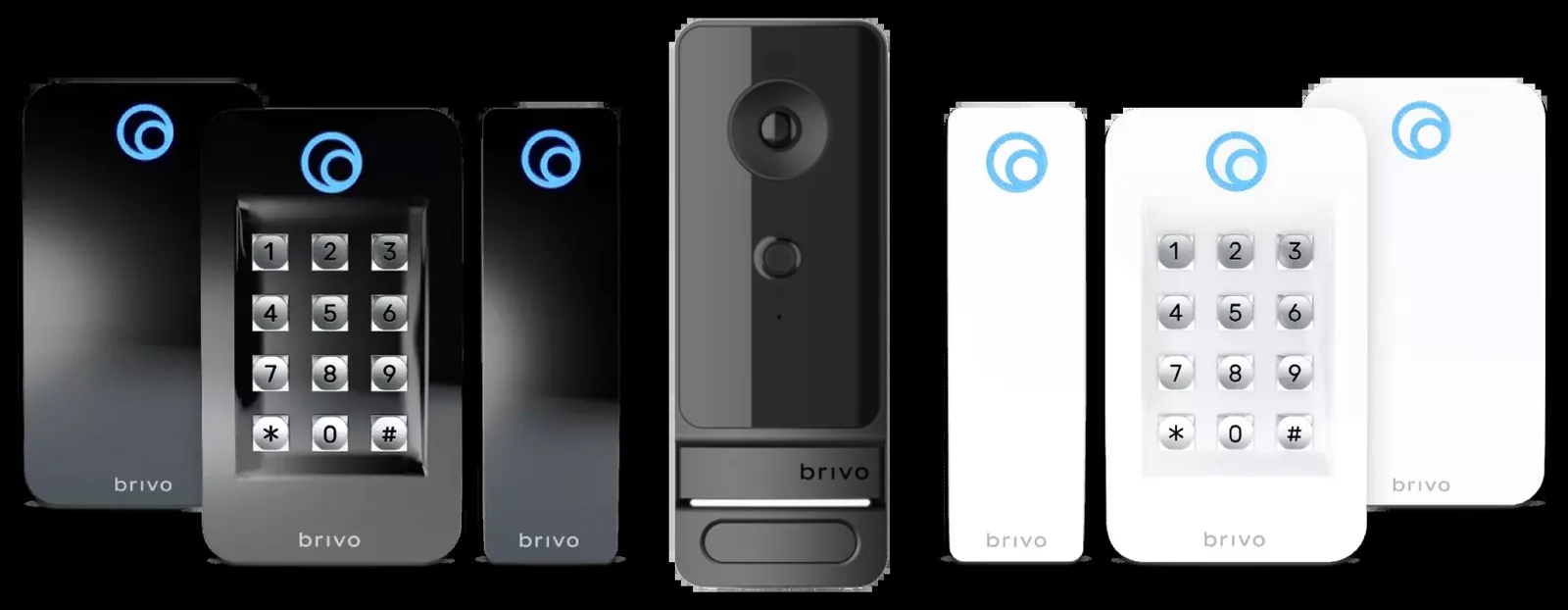
Brivo Smart Readers connect the door controller to supported physical or mobile credentials. Bluetooth-enabled models can support smartphone workflows, while encrypted smart-card options improve resistance to simple credential duplication. The exact reader model determines mounting, supported technologies, interface and environmental suitability.
Where supported throughout the system, OSDP provides a supervised digital reader path and can support secure communication. Legacy Wiegand remains available on applicable panels, but it should be treated as a documented design constraint rather than an equivalent security path.
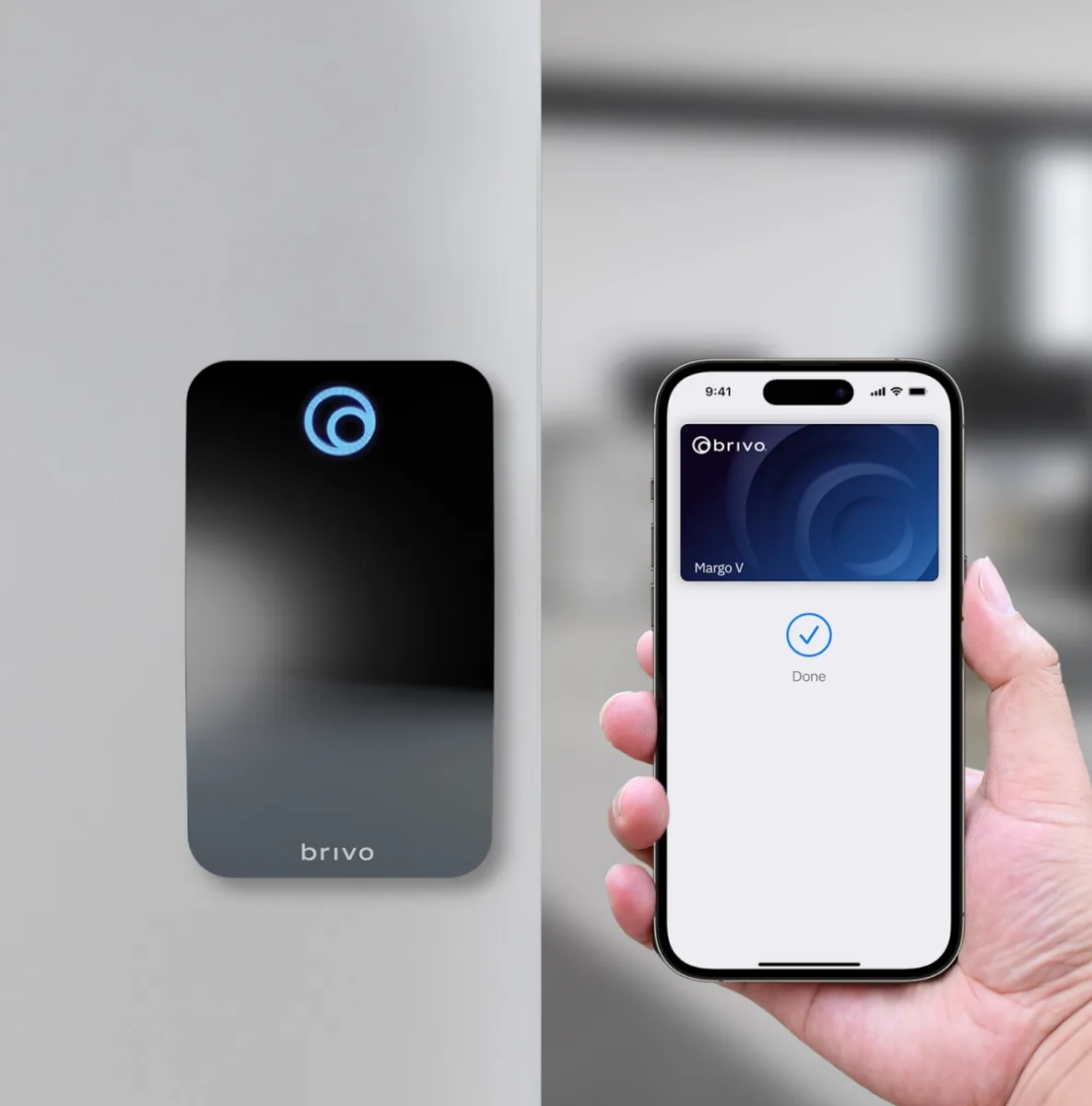
Physical credentials
Name the credential technology and encoding, not just card or fob. Document enrollment, issuance, loss, replacement, revocation and spare inventory.
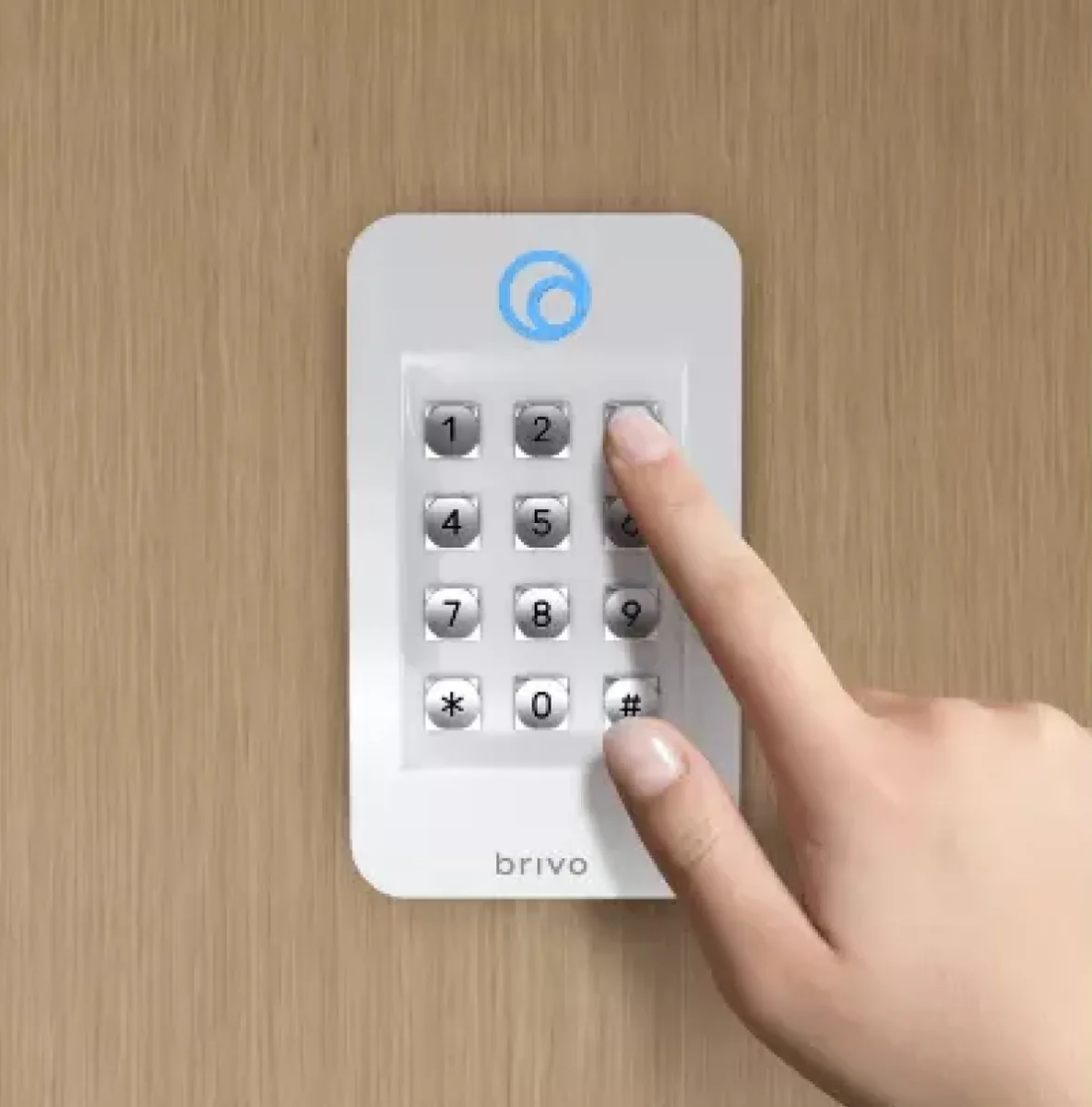
Mobile Pass and wallet credentials
Confirm compatible readers, phones, operating systems, subscription or issuance rules, BLE/NFC behavior and an alternative for users without supported devices.
PIN and multifactor workflows
If the selected reader or integration supports a PIN, define when it is required, privacy, duress handling, reset support and accessibility.
Existing cards and readers
Readable does not mean secure or fully supported. Inventory technology, bit format, facility code, wiring, interface, key ownership and migration risk.
Mobile credential lifecycle
Document invitation, activation, device replacement, offline behavior, remote revocation, shared-device prohibition and support ownership.
OSDP commissioning
Record wiring topology, address, baud rate, secure-channel status, reader firmware, tamper behavior and test evidence for each opening.
Panel, power and outage acceptance
- Confirm every part number, hardware revision, enclosure, board, transformer and battery against the current bill of materials.
- Test authorized, denied, expired, disabled, lost and after-hours credential behavior.
- Disconnect internet service and verify cached access, event buffering, administrator visibility and controlled reconnection.
- Exercise controller, reader, lock-power and building-power failures without compromising free egress or required fire-alarm release.
- Verify door-held, door-forced, tamper, request-to-exit and supervised-input reporting.
- Measure standby current and lock inrush; compare calculated and observed battery performance.
- Deliver reader format, OSDP status, panel/board inventory, firmware, labels, drawings, tests and administrator ownership.
Official Brivo product and support resources
Use Brivo-owned pages for current specifications, manuals, release notes, firmware status and application access. Availability, subscriptions and supported combinations can change.
Build a model-specific Brivo hardware schedule
We can survey each opening, identify reusable hardware and produce a controller, reader, credential, I/O and power schedule for a North Carolina or South Carolina project.
Official Brivo panel documentation
Use the exact documentation for the ordered controller revision. Panel capacity, enclosure, power, expansion, reader protocol and wiring requirements must be verified against the approved bill of materials before field termination.
Safety note: documentation does not replace site survey, code review, listed power design or qualified installation. We link to Brivo-hosted material and do not mirror firmware or manuals locally.
Official Brivo software, firmware and support
Use these manufacturer-owned portals for current downloads, release notes, manuals, advisories and technical resources. 360 Technology Group links to official sources and does not copy or host firmware files.
Update carefully: confirm the exact model, region, hardware revision, installed version, prerequisites, required intermediate releases, support entitlement, integrations, backup, maintenance window, rollback limitations and post-update tests. The wrong package or sequence can interrupt service or prevent a downgrade.
Some portals require a customer, dealer, certified-technician or active-support login. Cloud-managed products may update automatically and may not offer a public firmware file.