
Authorized dealer · Certified installers · Charlotte, NC headquarters
360 Technology Group is an authorized LTS dealer and certified installer
We have been selling, installing, programming and servicing LTS systems across North and South Carolina since 2018 — more than 8 years. Our scope covers LTS Platinum network cameras, PTZ and LPR models, NVR, DVR and VMS storage, LTS Connect and NVMS software.
- Authorized LTS dealer — we quote and supply genuine LTS equipment, licensing and subscriptions.
- Certified LTS installers — our technicians install, wire, program, commission and document the system.
- Repair and takeover — we service, troubleshoot, expand and take over existing LTS installations we did not originally install.
- 24/7 emergency service — on-call service technicians for emergency repairs, plus scheduled preventive maintenance.
We cover every city in North Carolina and South Carolina from our Charlotte headquarters. Request a quote or service call Call 704-726-4254
North Carolina and South Carolina planning guide
LTS
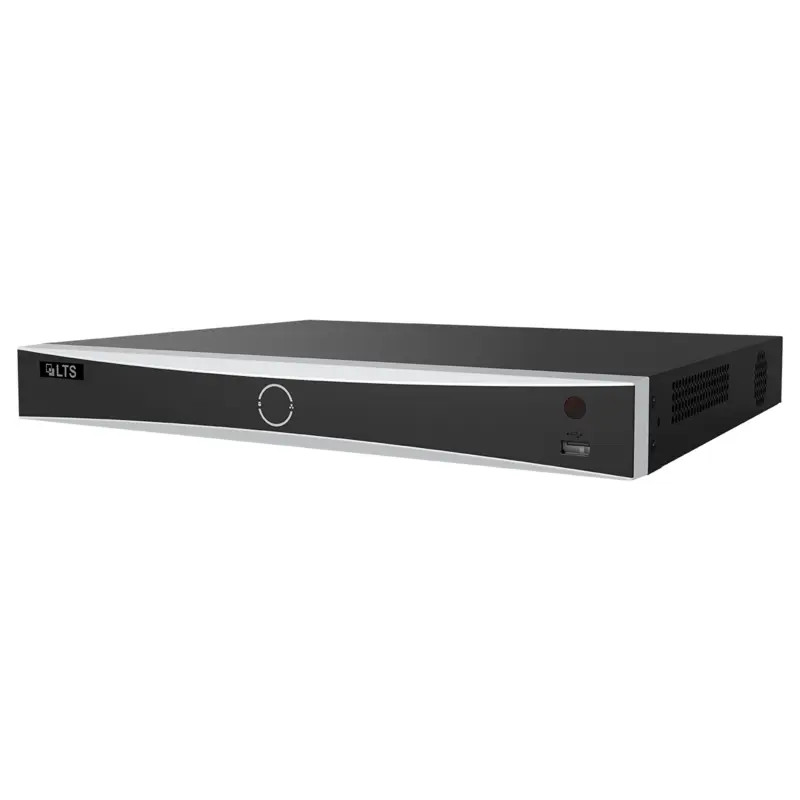
LTS security cameras and NVR systems supplied, installed and serviced across North and South Carolina by an authorized LTS dealer and certified installer. LTS is a value line, and that is precisely the reason to choose it for straightforward commercial coverage — below, we are equally clear about the jobs it is not the right tool for.
Where LTS fits — an honest positioning
LTS is a value line, and we say that plainly because it is the reason to choose it. For a straightforward commercial camera system — a storefront, a small office, a warehouse that needs coverage rather than forensic detail at distance — LTS delivers a competent, well-supported system at a materially lower cost than the premium manufacturers, and it is the honest recommendation for a great many Carolina buildings.
What you should not do is specify it for the job it is not built for. Where you need identification-grade detail at long range, license plate capture at speed, heavy analytics, thermal detection or a very large multi-site deployment, the premium lines earn their price and we will say so. Buying LTS for those applications and being disappointed is a specification failure, not a product failure.
Whichever line you choose, the parts that decide whether a system works are the same: scene objectives set before models are picked, correct cabling and PoE budget, retention sized against the real recording settings, surge protection on exterior runs, and someone trained to actually export a clip when it matters.
Detailed product and planning guides
Each card below opens a published guide with deeper product-family, design or implementation information.
LTS NVR, DVR, VMS and Storage Design
Open the detailed product, design or implementation guide.
LTS Product Catalog
Open the detailed product, design or implementation guide.
LTS Platinum Network Cameras, PTZ and LPR
Open the detailed product, design or implementation guide.
Capabilities and selection checkpoints
The cards in this section summarize information to evaluate; they are not separate pages. Availability and compatibility can change, so final models and releases must be confirmed against current manufacturer resources.
LTS Security Authorized Dealer and Installers
We are an authorized LTS dealer and certified installer, supplying, installing, configuring and servicing LTS camera and recording systems throughout North and South Carolina.
Authorized LTS Dealer
Genuine equipment with valid warranty and a manufacturer support path — which is what separates a supported system from a box bought online with no recourse when it fails.
LTS Cameras
Domes, bullets, turrets and multi-sensor models across resolutions. Selection is driven by the scene objective and the light available at 2am, not by the megapixel figure on the datasheet.
LTS PTZ Camera
Pan-tilt-zoom for lots, yards and perimeters. Pair it with fixed cameras rather than replacing them — a PTZ pointed the other way records nothing, and that is always the direction it is pointed when something happens.
LTS License Plate Cameras
Plate capture needs its own camera, angle, shutter and lighting. A general-purpose camera aimed at a driveway will produce a picture of a car and no readable plate.
Who Should Use LTS Security Cameras?
Businesses that need solid, serviceable coverage at a sensible price: retail, offices, warehouses, restaurants, light industrial and multi-tenant buildings. Less suited to long-range identification, heavy analytics or forensic-grade evidence work.
Image objective
Every camera gets a stated job before a model is chosen — identify a face at the door, read a plate at the gate, observe an aisle — with lens and mounting height selected to actually achieve it.
Recording architecture
NVR sizing from the real resolution, frame rate, codec and retention, with RAID and a UPS on anything the business will rely on. Retention is the biggest single driver of recorder cost.
Network design
Cameras on their own VLAN with the PoE budget calculated per switch, default credentials replaced, firmware current, and remote access through the manufacturer cloud or a VPN rather than an open port forward.
Analytics use
Line crossing, intrusion zones and motion filtering are useful when tuned to the scene and useless when left at defaults. We tune them on site and set the alert thresholds someone will actually act on.
Privacy and evidence
Camera placement that avoids areas with an expectation of privacy, a documented retention period, and a named person authorized to export and release footage. Decide this before an incident, not during one.
Lifecycle support
Firmware policy, health monitoring so you learn a camera failed before you need it, lens cleaning and refocusing, drive replacement, and a realistic view of when a system is due for renewal.
Evidence to collect before design
A useful survey and stakeholder review should produce the following project evidence for LTS:
- Scene objectives for every camera, including identification detail, direction of travel and operating hours.
- Day, night, backlight, glare, weather, vibration, privacy and mounting conditions at each location.
- Retention period, recording mode, resolution, frame rate, failover and export requirements.
- PoE load, switching, uplinks, bandwidth, storage, remote access and network-security constraints.
- VMS, analytics, access control, alarm, intercom and third-party integration expectations.
- User permissions, evidence handling, health monitoring, software support and replacement planning.
Architecture and integration review
Image objective
Specify the event and visual detail the camera must capture instead of selecting resolution in isolation.
Recording architecture
Calculate storage, retention, failover and export needs for the complete camera count.
Network design
Validate PoE, bandwidth, segmentation, time services, remote access and monitoring with IT.
Analytics use
Connect each analytic to a response workflow and test it under representative site conditions.
Privacy and evidence
Document viewing rights, exports, retention, audit history and applicable organizational policy.
Lifecycle support
Track model status, firmware, VMS compatibility, licenses, warranties and replacement options.
Compare proposals on the same evidence
Product names and device counts do not make competing proposals equivalent. Ask each bidder to identify assumptions, exclusions, supported versions, owner responsibilities and the proof that will be delivered at acceptance.
| Comparison area | Evidence a complete proposal should provide |
|---|---|
| Fit for the operating need | A written explanation of how LTS supports the required users, events and workflows. |
| Compatibility | A supported-parts, software, license and integration matrix tied to the proposed architecture. |
| Infrastructure | Documented power, network, pathways, environmental and owner-furnished dependencies. |
| Acceptance | Named tests, expected results, exception handling and responsibility for correcting deficiencies. |
| Lifecycle | Current support status, update approach, warranty, subscriptions, spares and replacement planning. |
Deployment and acceptance sequence
- Discovery: agree on users, operating outcomes, retained systems, constraints and acceptance criteria.
- Field validation: verify dimensions, infrastructure, environmental conditions, pathways, power, network and integration points.
- Documented design: name the architecture, supported components, licenses, responsibilities, assumptions and change process.
- Staging and implementation: prepare configuration, backups, labels and test scripts before controlled field deployment.
- Operational acceptance: exercise normal use, exceptions, outages and recovery; then deliver training and system records.
Software, firmware and lifecycle responsibility
Record the installed model, hardware revision, software or firmware release, license or subscription, warranty and administrator ownership at handoff. Those details make later troubleshooting and upgrade planning materially safer.
Downloads, release notes, advisories and manuals should come from the manufacturer’s official portal. 360 Technology Group links to official resources and does not host firmware files locally. Some portals require an authorized customer, dealer or support entitlement.
Before any update, confirm the exact model and region, prerequisites, supported intermediate releases, backup, maintenance window, integration compatibility, rollback limits and post-update test plan. Cloud-managed products may control release timing differently from locally managed systems.
Build a project-specific comparison
Share the facility type, Carolina location, existing platform, approximate device count, operating problem, required integrations and target schedule. 360 Technology Group can use that context to determine whether LTS deserves a detailed site and design review.
LTS owner, administrator and buyer resources
Use these LTS guides to connect software, firmware, camera, recorder and pricing research with surveyed installation, commissioning, maintenance and support in North and South Carolina.
Official LTS Security software, firmware and support
Use these manufacturer-owned portals for current downloads, release notes, manuals, advisories and technical resources. 360 Technology Group links to official sources and does not copy or host firmware files.
Update carefully: confirm the exact model, region, hardware revision, installed version, prerequisites, required intermediate releases, support entitlement, integrations, backup, maintenance window, rollback limitations and post-update tests. The wrong package or sequence can interrupt service or prevent a downgrade.
Some portals require a customer, dealer, certified-technician or active-support login. Cloud-managed products may update automatically and may not offer a public firmware file.