
Authorized dealer · Certified installers · Charlotte, NC headquarters
360 Technology Group is an authorized 2N dealer and certified installer
We have been selling, installing, programming and servicing 2N systems across North and South Carolina since 2018 — more than 8 years. Our scope covers 2N IP intercoms, Access Unit readers, indoor stations, My2N and Access Commander management platforms.
- Authorized 2N dealer — we quote and supply genuine 2N equipment, licensing and subscriptions.
- Certified 2N installers — our technicians install, wire, program, commission and document the system.
- Repair and takeover — we service, troubleshoot, expand and take over existing 2N installations we did not originally install.
- 24/7 emergency service — on-call service technicians for emergency repairs, plus scheduled preventive maintenance.
We cover every city in North Carolina and South Carolina from our Charlotte headquarters. Request a quote or service call Call 704-726-4254
Installation, service, maintenance and support
2N My2N App, Access Commander, Login, Downloads and Firmware Guide
2N projects can use My2N cloud management and mobile calling/access, or Access Commander for onsite access administration, depending on the devices and use case. Identify the management path, tenant/server owner, licenses/subscriptions and exact device firmware before troubleshooting or upgrading.
We install, configure, service, maintain and support 2N products and systems. Work can include survey, engineering, procurement, field installation, software setup, commissioning, troubleshooting, repair, upgrades, administrator training and lifecycle planning.
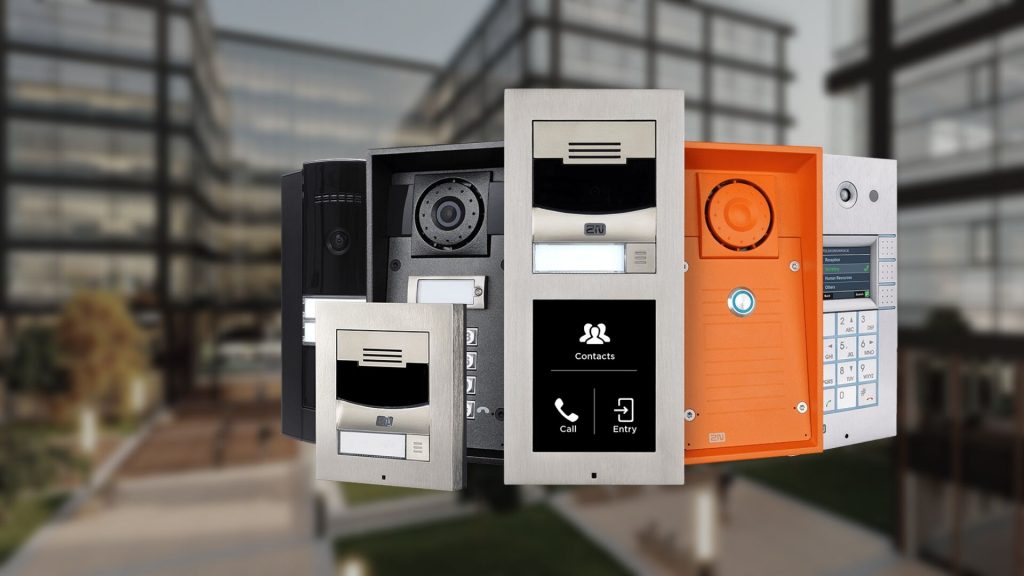
2N management, mobile access and controlled updates: decisions before procurement
My2N App and platform
Document site owner, administrators, users/apartments, devices, calling and mobile-access subscriptions, guest access, notifications, phone replacement and offboarding.
Access Commander
Inventory appliance/VM version, backups, device inventory, companies/zones/users, credentials, licenses, integration/API use, network, time and supported firmware matrix.
Downloads and firmware
Use the exact product support page for firmware, manuals, APIs, scanner/tools and checksums where published; pilot changes and preserve configuration/recovery.
Scope the complete installed system
| Planning area | What to verify |
|---|---|
| Ownership | My2N tenant or Access Commander server owner, administrators, recovery, licenses/subscriptions, device claims and installer access. |
| Network | IP/VLAN, PoE, DHCP/static, DNS/NTP, HTTPS/certificates, firewall, SIP/cloud, remote administration and outage behavior. |
| Versions | Device model, 2N OS/firmware, Access Commander, app/OS, indoor station, integration/API and documented compatibility. |
| Acceptance | Login/recovery, directory sync, calls, mobile credential, guest flow, schedules, relay/lock, events, update status and backup restore. |
Installation, upgrade and acceptance workflow
- Survey entrances, call destinations, accessibility, lighting, acoustics, mounting, cabling, PoE, network, SIP/cloud services, locks and emergency operation.
- Confirm exact 2N model, modules, firmware, licenses, management platform, indoor stations, mobile subscriptions, credentials and integrations.
- Engineer VLAN, DHCP/static addressing, DNS/NTP, certificates, SIP or My2N path, PoE budget, QoS, firewall and remote-administration ownership.
- Install, update only through approved official packages, configure directories, calling, video, access rules, schedules, relays, inputs and notifications.
- Test day/night video, audio, calls, mobile answering, access credentials, guest workflows, lock release, outage behavior and administrator recovery.
- Deliver device/port records, settings, accounts, licenses, versions, acceptance evidence, user training and recurring maintenance tasks.
Common buyer and administrator questions
Where is the 2N login?
My2N uses the customer’s cloud management account. Access Commander uses the customer’s local appliance/VM address. Confirm which platform owns the site.
Where should 2N firmware be downloaded?
Use the official 2N Download Centre or exact product support page. Do not install a package based only on a similar model name.
What is Access Commander?
It is 2N’s access-control management platform for users, zones, devices, credentials, schedules, events and supported integrations.
Does the My2N App require a subscription?
2N documents subscription conditions for certain cloud calling workflows, with some indoor-station offers providing included calling. Verify the current product and account.
Official manufacturer resources
Use manufacturer-controlled pages for current manuals, software, firmware, compatibility and release information. We link to those portals and do not host firmware locally.
2N installation, maintenance, service and support
We install, configure, upgrade and support eligible My2N and Access Commander environments; enroll intercoms and access units; configure users, calling and credentials; stage official updates; and troubleshoot network, mobile and door operation.