
Authorized dealer · Certified installers · Charlotte, NC headquarters
Authorized dealer and certified installers — North and South Carolina
360 Technology Group is an authorized dealer and certified installer for the manufacturers we represent, and has been installing meeting room management and control systems across North and South Carolina since 2018 — more than 8 years.
- Authorized dealer — genuine equipment, licensing and manufacturer support entitlement.
- Certified installers — factory-trained technicians handle the cabling, mounting, power, programming and commissioning.
- Repair, service and takeover — we maintain, repair, upgrade and take over existing systems.
- 24/7 emergency service — on-call service technicians for emergency repairs, plus scheduled preventive maintenance.
We cover every city in North Carolina and South Carolina from our Charlotte headquarters. Request a quote or service call Call 704-726-4254
Bosch conference systems — North & South Carolina
Bosch conference and discussion system installation
360 Technology Group supplies, installs, configures and services Bosch conference systems across North and South Carolina — council chambers, courtrooms, boardrooms, university lecture and senate rooms, training centers and houses of worship. These are not ordinary meeting-room AV: a conference system gives every seat a microphone, manages who is allowed to speak, records what was said, and in many rooms has to satisfy a public-meeting or minute-taking obligation.
A note on the brand. Bosch Building Technologies separated from the Bosch Group on 1 July 2025 and now trades as Keenfinity Group. Video became IQSIGHT and intrusion and access became Radionix — but conference and professional audio keep the Bosch name, alongside Electro-Voice, Dynacord, RTS and Telex. So if someone has told you Bosch conference is discontinued, it is not.
The four system families we install
DICENTIS Conference System
The IP-based flagship. Runs over standard network infrastructure, which means the room is cabled with Ethernet rather than proprietary trunk. Scales from a boardroom to a full chamber, supports identification and voting at the seat, and integrates with recording and streaming. This is what we specify when the room is permanent and the meeting record matters.
DICENTIS Wireless
The same platform without floor boxes or trunking. The right answer in historic and listed buildings, in rooms that reconfigure, and where a client cannot take the disruption of cutting into a finished chamber floor. Battery management becomes part of the operating routine — we cover that in training.
CCS 1000 D Digital Discussion
Plug-and-play discussion for smaller rooms and organizations that need microphone management, recording and simple chairperson control without a full conference platform. Frequently the correct and much cheaper answer for a town board or a mid-size committee room.
INTEGRUS Language Distribution
Infrared language distribution for interpretation. Used where meetings run in more than one language — international business, universities, some public bodies and worship. Infrared matters here because it does not pass through walls, so a confidential channel stays in the room.
What decides a conference system design
- Seat count and who gets a microphone. Every seat, or only the dais? Delegates plus public comment podium? This sets the unit count and most of the budget before anything else is decided.
- Open or managed discussion. Whether the chair controls the speaking queue, how many microphones may be live at once, and whether request-to-speak is enforced. Get this wrong and the room is unusable or feels authoritarian.
- The public-meeting record. Recording, minute-taking, streaming and archiving obligations shape the system as much as the audio does — and for public bodies they are frequently a legal requirement rather than a preference.
- Room acoustics. A hard-surfaced chamber will defeat any microphone system. Acoustic treatment, loudspeaker placement and gain-before-feedback are part of the design, not an afterthought.
- Remote participants. Most rooms now need to bridge into a remote meeting platform. That integration has to be specified deliberately, because a conference system and a video-call platform do not merge by themselves.
- Who runs it on the night. A clerk or a volunteer, not an AV engineer. The operating interface has to suit them, and we train them before handover.
Related work
Conference systems usually arrive alongside other work we do: commercial audiovisual installation, commercial audio and paging, structured cabling for the network the system runs on, and government facility security where the chamber sits inside a building that also needs access control and cameras. We regularly do the chamber and the building security under one contract.
Planning a chamber, boardroom or committee room?
Tell us the room, the seat count, whether meetings are public, and what has to be recorded or streamed. We will survey the room — including its acoustics — and come back with a system that the people who run the meeting can actually operate.
Request a room survey Call 704-726-4254
Charlotte, NC headquarters · every city in North and South Carolina · 24/7 emergency service by on-call technicians.
North Carolina and South Carolina planning guide
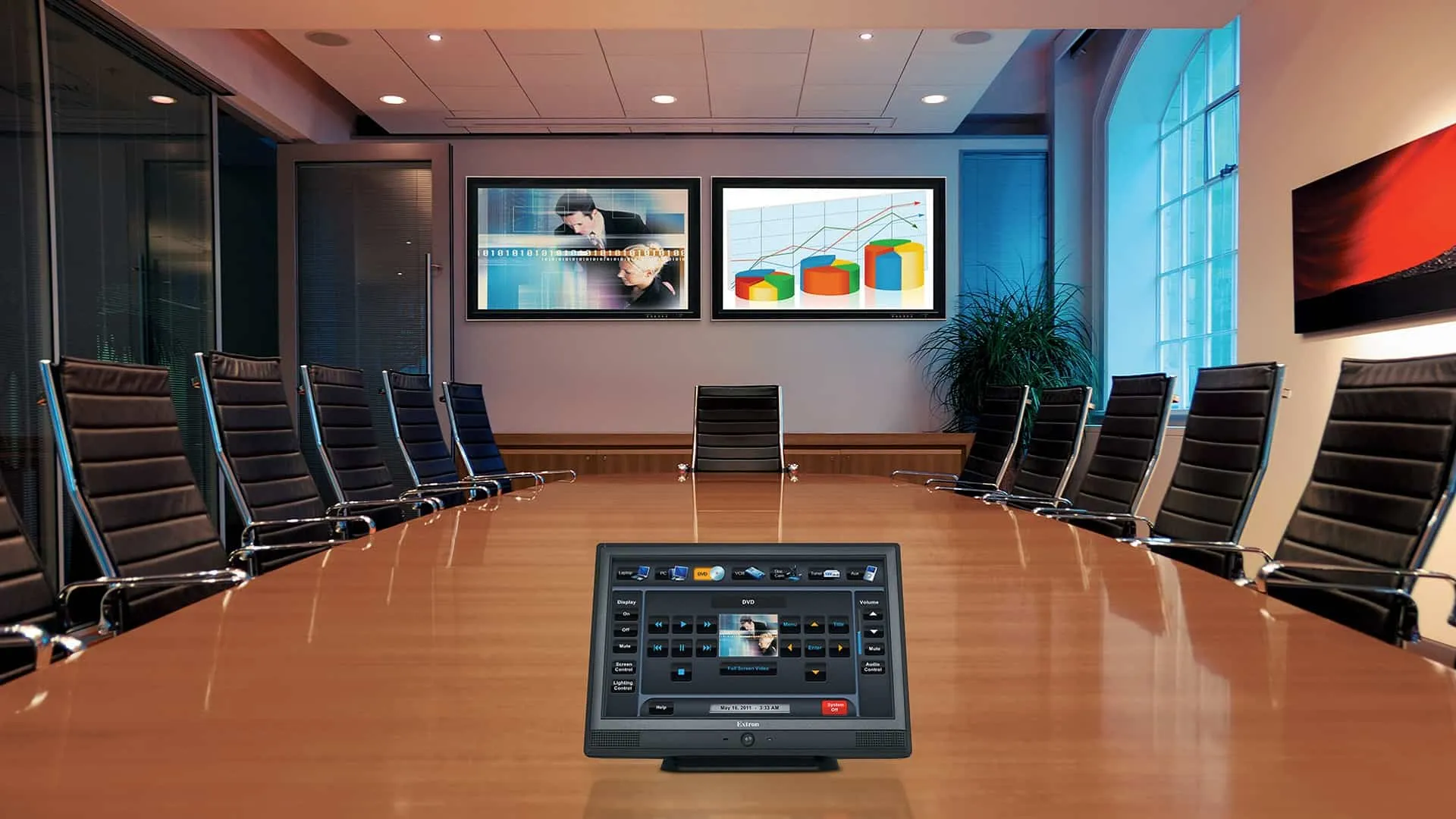
Meeting Room Management and Control
Selecting Meeting Room Management and Control is an architecture decision as much as a purchasing decision. A complete scope explains what is being solved, what must integrate, how failure is handled and who owns the system after handoff.
Start with the decision, not the catalog
360 Technology Group evaluates Meeting Room Management and Control as part of a complete commercial technology project. The recommendation should follow a field-verified problem statement, not a presumption that every published feature belongs in the project.
Discovery documents the current equipment, affected users, desired workflows, required integrations, security and privacy expectations, project constraints and measurable acceptance criteria. That evidence creates a fair basis for comparing reuse, migration and replacement.
For Carolina facilities, the scope should also account for occupied work areas, weather exposure, lightning and surge conditions, local construction coordination, network readiness, service access and the owner’s long-term administration model.
Capabilities and selection checkpoints
The cards in this section summarize information to evaluate; they are not separate pages. Availability and compatibility can change, so final models and releases must be confirmed against current manufacturer resources.
Meeting Room Management and Control
Review compatibility, capacity, infrastructure and lifecycle implications with the complete system design.
Create a consistent room experience
Treat this as a design checkpoint; the final selection depends on field conditions and supported releases.
Audio visual services
Compare retained equipment, migration effort, subscription impact and replacement options for this topic.
Digital signage
Review compatibility, capacity, infrastructure and lifecycle implications with the complete system design.
Commercial audio
Review compatibility, capacity, infrastructure and lifecycle implications with the complete system design.
Network services
Confirm which current models, editions, licenses and dependencies support this requirement before procurement.
Structured cabling
Document who configures, tests, administers and supports this function after the project is accepted.
Design and repair
Document who configures, tests, administers and supports this function after the project is accepted.
What we review before recommending a system
Confirm which current models, editions, licenses and dependencies support this requirement before procurement.
Room purpose, seating, sightlines, lighting and acoustic conditions.
Confirm which current models, editions, licenses and dependencies support this requirement before procurement.
Supported conferencing platforms, guest devices and presentation inputs.
Confirm which current models, editions, licenses and dependencies support this requirement before procurement.
Camera framing, microphone pickup and loudspeaker coverage.
Review compatibility, capacity, infrastructure and lifecycle implications with the complete system design.
Evidence to collect before design
A useful survey and stakeholder review should produce the following project evidence for Meeting Room Management and Control:
- Operating problem, affected users, existing equipment, site conditions and measurable acceptance criteria.
- Drawings, device counts, locations, schedules, standards and known project constraints.
- Power, cabling, pathways, network, cybersecurity and other-trade responsibilities.
- Integration, licensing, warranty, product-status and long-term support requirements.
- Normal operation, outages, recovery, exception handling and administrator ownership.
- Testing, training, configuration records, as-built information and service expectations.
Architecture and integration review
Requirements
Tie every proposed component or service to a written operating need.
Existing conditions
Verify reusable assets, limitations and dependencies before procurement.
Coordination
Assign power, network, pathways, access, configuration and trade responsibilities.
Lifecycle
Compare supportability, interoperability, licensing and replacement—not first cost alone.
Acceptance
Test normal, failure and recovery conditions against agreed outcomes.
Handoff
Deliver training, records, backups, labels, diagrams and support contacts.
Compare proposals on the same evidence
Product names and device counts do not make competing proposals equivalent. Ask each bidder to identify assumptions, exclusions, supported versions, owner responsibilities and the proof that will be delivered at acceptance.
| Comparison area | Evidence a complete proposal should provide |
|---|---|
| Fit for the operating need | A written explanation of how Meeting Room Management and Control supports the required users, events and workflows. |
| Compatibility | A supported-parts, software, license and integration matrix tied to the proposed architecture. |
| Infrastructure | Documented power, network, pathways, environmental and owner-furnished dependencies. |
| Acceptance | Named tests, expected results, exception handling and responsibility for correcting deficiencies. |
| Lifecycle | Current support status, update approach, warranty, subscriptions, spares and replacement planning. |
Deployment and acceptance sequence
- Discovery: agree on users, operating outcomes, retained systems, constraints and acceptance criteria.
- Field validation: verify dimensions, infrastructure, environmental conditions, pathways, power, network and integration points.
- Documented design: name the architecture, supported components, licenses, responsibilities, assumptions and change process.
- Staging and implementation: prepare configuration, backups, labels and test scripts before controlled field deployment.
- Operational acceptance: exercise normal use, exceptions, outages and recovery; then deliver training and system records.
Software, firmware and lifecycle responsibility
Record the installed model, hardware revision, software or firmware release, license or subscription, warranty and administrator ownership at handoff. Those details make later troubleshooting and upgrade planning materially safer.
Downloads, release notes, advisories and manuals should come from the manufacturer’s official portal. 360 Technology Group links to official resources and does not host firmware files locally. Some portals require an authorized customer, dealer or support entitlement.
Before any update, confirm the exact model and region, prerequisites, supported intermediate releases, backup, maintenance window, integration compatibility, rollback limits and post-update test plan. Cloud-managed products may control release timing differently from locally managed systems.
Build a project-specific comparison
Share the facility type, Carolina location, existing platform, approximate device count, operating problem, required integrations and target schedule. 360 Technology Group can use that context to determine whether Meeting Room Management and Control deserves a detailed site and design review.