
Authorized dealer · Certified installers · Charlotte, NC headquarters
360 Technology Group is an authorized LenelS2 dealer and certified installer
We have been selling, installing, programming and servicing LenelS2 systems across North and South Carolina since 2018 — more than 8 years. Our scope covers LenelS2 OnGuard and OnGuard Cloud, NetBox and NetBox Nodes, M-Series controllers, BlueDiamond readers and mobile credentials.
- Authorized LenelS2 dealer — we quote and supply genuine LenelS2 equipment, licensing and subscriptions.
- Certified LenelS2 installers — our technicians install, wire, program, commission and document the system.
- Repair and takeover — we service, troubleshoot, expand and take over existing LenelS2 installations we did not originally install.
- 24/7 emergency service — on-call service technicians for emergency repairs, plus scheduled preventive maintenance.
We cover every city in North Carolina and South Carolina from our Charlotte headquarters. Request a quote or service call Call 704-726-4254
NetBox platform guide
NetBox 6.4, appliance, Enterprise and virtual deployment
Choose the NetBox family by measured portal, user, Node, video and integration requirements, then document the appliance or virtual infrastructure, support entitlement and recovery model.
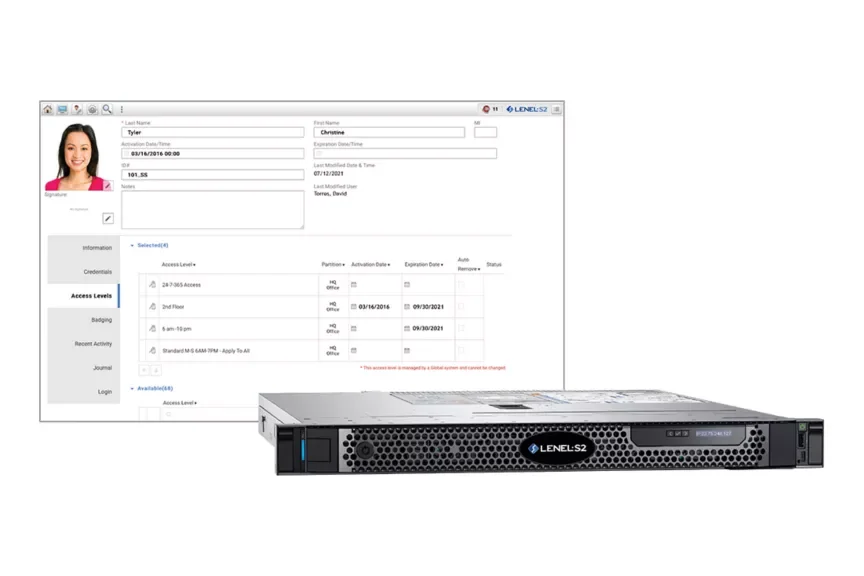
Current software and family selection
The public LenelS2 resource library now lists NetBox version 6.4 along with prior 6.2.1, 6.2 and 6.0 updates. That makes the installed-version inventory important: an existing site should not skip prerequisites or assume every Node, integration and browser is supported by the newest release.
| NetBox family | Published capacity reference | When to evaluate it |
|---|---|---|
| NetBox | Up to 32 portals, 32 Nodes and five simultaneous users; 20,000 cardholders. | Single sites and field offices that fit the appliance, user, portal and integration limits. |
| NetBox Extreme | Up to 128 portals and ten simultaneous users. | Larger sites that need more portal capacity while retaining the browser-based operating model. |
| NetBox Enterprise 50 | Expandable to 1,792 portals with 25 concurrent LenelS2 client connections. | Distributed organizations needing centralized, partitioned enterprise administration. |
| NetBox Enterprise 100 | Expandable to 7,168 portals with 35 concurrent LenelS2 client connections. | Large multi-site environments with higher portal and client requirements. |
| NetBox Virtual Machine | NetBox software deployed on approved owner-provided virtualization infrastructure. | Organizations with mature virtualization, backup, monitoring and recovery ownership. |
| Converged NetBox VRx / VR | Access control combined with a supported LenelS2 video platform in an appliance architecture. | Sites that want access events and video operated together and can meet storage, camera, bandwidth and lifecycle needs. |
Base NetBox appliance specifications
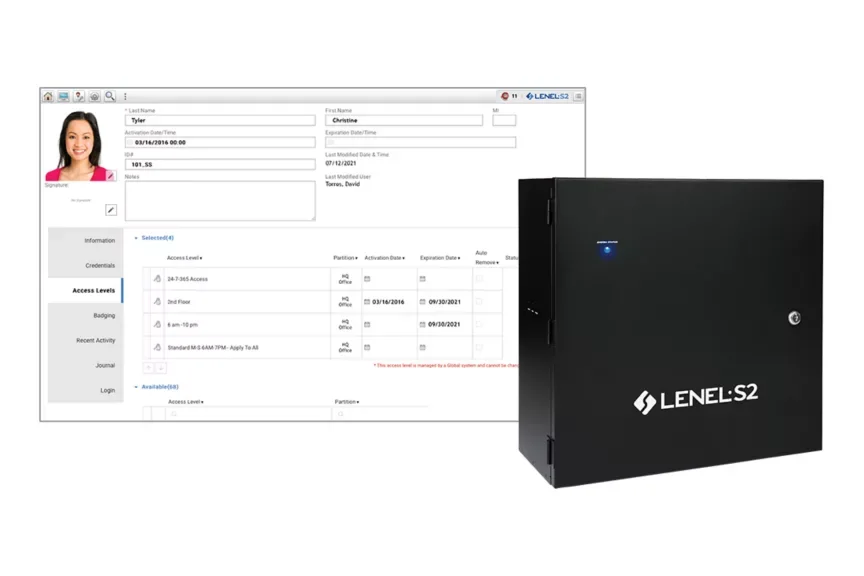
The base NetBox is a solid-state Ubuntu Linux appliance for browser-based management. Current public data lists 4-, 16- or 32-portal packages, with expansion to 32 portals and support for up to seven application blades. It is intended for defined site capacity, not unlimited growth.
The published appliance includes 256 GB storage, 8 GB total memory, one Ethernet port and a wall enclosure approximately 17 x 17.5 x 8.25 inches. Confirm the current ordering configuration, power, environmental range, service clearance and backup method before construction documents are released.
| Base NetBox item | Published reference | Verification |
|---|---|---|
| Cardholders / access levels | 20,000 cardholders; unlimited access levels. | Current and projected identity count, badge history, partitions and credential migration. |
| Portals / Nodes | 32 portals and 32 LenelS2 Nodes. | Count doors, gates, elevators, Node locations and spare capacity. |
| Users / roles | Five simultaneous users and 16 unique roles. | Concurrent browser, Magic Monitor, mobile, badging and service workflows. |
| Application blades | Up to seven access, input, output or temperature blades. | Exact blade schedule, I/O points, power and enclosure positions. |
| Inputs / outputs | Up to 500 inputs and 500 outputs. | Point names, supervision, normal state, event logic, reset and failure behavior. |
| Transactions | Up to 10 million online records. | Retention, reporting, export, archival, clock and maintenance ownership. |
| Video | Up to four VRx/NetVR systems and 256 associated cameras in the published base reference; third-party limits differ. | Use the current recorder and integration data sheet for the final camera count and functions. |
Platform and infrastructure flow
Enterprise and virtual infrastructure
NetBox Enterprise extends the browser model to large distributed environments. Enterprise 50 is published for expansion to 1,792 portals, while Enterprise 100 is published for as many as 7,168. Those ceilings do not remove the need for Node, client, network, database and video design.
NetBox Virtual Machine places the application on approved owner-provided virtualization infrastructure. The owner must name hypervisor, compute, storage, network, backup, snapshot, monitoring, high-availability, patching and recovery responsibilities. A virtual appliance is not automatically resilient simply because it is virtual.
Partitioning
Document tenant or site boundaries, shared identities, global administration, delegated roles and reporting separation.
Concurrency
Size real browser, Magic Monitor and mobile usage rather than relying only on portal capacity.
Database and backup
Define backup frequency, off-system retention, restore testing, encryption, archive and owner access.
API
Record endpoint, fields, authentication, rate limits, logging, error handling, reconciliation and version ownership.
Badging
Verify supported workstation operating system, camera, printer, encoder, card stock, templates and recovery workflow.
Release management
Use a lab or staged site, current release notes, supported intermediate versions and a full post-update acceptance script.
Acceptance checklist
- Test authorized, denied, expired, disabled, threat-level and anti-passback workflows.
- Verify person creation, badge issuance, access change, termination and reconciliation.
- Exercise appliance/VM, database, network, Node and power interruptions.
- Verify event and alarm routing, acknowledgement, reporting and escalation.
- Confirm video-event association, playback, retention and export where included.
- Deliver version, license, Node, blade, browser, integration and support records.
Official LenelS2 product and support resources
Use current Honeywell and LenelS2 pages for product data, lifecycle notices, release information, supported combinations and authorized downloads. Software, firmware and some technical documents require an entitled portal account; 360 Technology Group does not host those files locally.
Size the NetBox platform from real requirements
We can map portals, users, Nodes, video and integrations to the appropriate NetBox appliance, Enterprise or virtual architecture.
LenelS2 owner, administrator and buyer resources
Use these owner and buyer resources to connect platform, product and pricing research with surveyed design, installation, software setup, commissioning, maintenance and support in North and South Carolina.
Official LenelS2 NetBox software, firmware and support
Use these manufacturer-owned portals for current downloads, release notes, manuals, advisories and technical resources. 360 Technology Group links to official sources and does not copy or host firmware files.
Update carefully: confirm the exact model, region, hardware revision, installed version, prerequisites, required intermediate releases, support entitlement, integrations, backup, maintenance window, rollback limitations and post-update tests. The wrong package or sequence can interrupt service or prevent a downgrade.
Some portals require a customer, dealer, certified-technician or active-support login. Cloud-managed products may update automatically and may not offer a public firmware file.