
Authorized dealer · Certified installers · Charlotte, NC headquarters
360 Technology Group is an authorized LenelS2 dealer and certified installer
We have been selling, installing, programming and servicing LenelS2 systems across North and South Carolina since 2018 — more than 8 years. Our scope covers LenelS2 OnGuard and OnGuard Cloud, NetBox and NetBox Nodes, M-Series controllers, BlueDiamond readers and mobile credentials.
- Authorized LenelS2 dealer — we quote and supply genuine LenelS2 equipment, licensing and subscriptions.
- Certified LenelS2 installers — our technicians install, wire, program, commission and document the system.
- Repair and takeover — we service, troubleshoot, expand and take over existing LenelS2 installations we did not originally install.
- 24/7 emergency service — on-call service technicians for emergency repairs, plus scheduled preventive maintenance.
We cover every city in North Carolina and South Carolina from our Charlotte headquarters. Request a quote or service call Call 704-726-4254
OnGuard platform guide
OnGuard 8.4, OnGuard Cloud and multi-region Enterprise
Choose the deployment and operating model first. Server ownership, regional autonomy, browser clients, updates, integrations and recovery differ between on-premises OnGuard, current OnGuard Cloud and Enterprise.
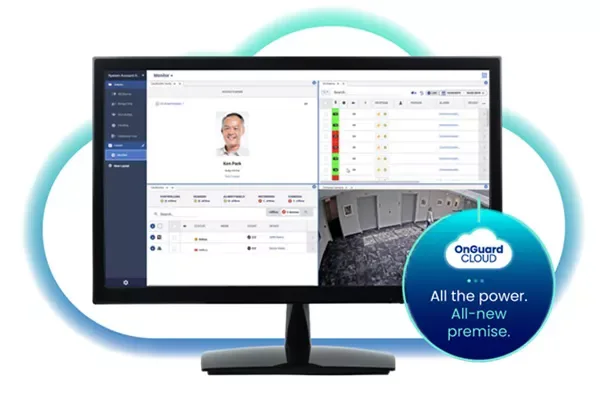
Deployment models are not interchangeable
| Deployment | Manufacturer positioning | Owner decisions |
|---|---|---|
| On-premises OnGuard 8.4 | Current software release deployed on supported owner or hosted infrastructure. | Server, database, Windows, backups, updates, certificates, monitoring, client deployment and recovery ownership. |
| OnGuard Cloud | Current single-tenant SaaS solution hosted in AWS, with full web access and 24/7 operational monitoring described by LenelS2. | Connectivity, service scope, data governance, identity, integrations, subscriptions, support boundaries and exit planning. |
| OnGuard Enterprise | Multi-server architecture with synchronized regional databases and autonomous regional operation. | Data ownership, synchronization, WAN interruption behavior, global versus regional authority and recovery sequencing. |
| Legacy Cloud Edition | An older infrastructure-as-a-service product with a published August 2024 lifecycle notice. | Do not confuse it with current OnGuard Cloud; confirm migration and support directly with LenelS2. |
What version 8.4 adds to the planning discussion
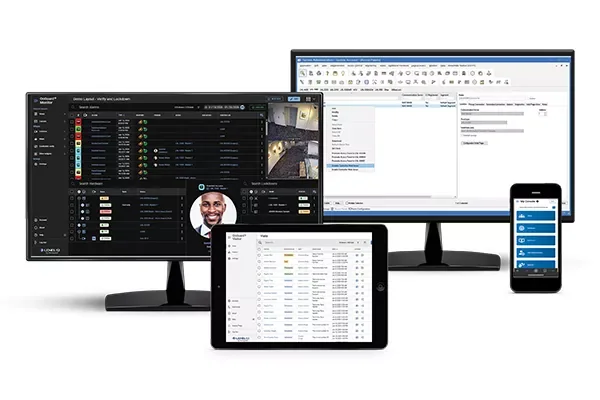
OnGuard 8.4 continues browser-client modernization. Public release information identifies Console, Visitor, Admin and Behaviors among the clients receiving expanded browser treatment and light/dark display support. The Monitor client gains a more video-centered layout and design workflow with configurable views.
Other public highlights include remote options around controller web-page access and legacy-mode promotion, login policy or privacy acknowledgement support, deeper Honeywell 35 Series video integration and continued Milestone XProtect integration. These are release capabilities, not automatic project inclusions; licenses, roles and supported components must be confirmed.
Browser clients
Define which tasks move to Console, Visitor, Admin, Behaviors, Credentials, Reports or Monitor and which still depend on installed clients.
Monitor experience
Design operator views around alarms, maps, cardholder verification and video; then test multi-window, drag-and-drop, layout and unattended workflows.
Controller administration
Restrict controller web-page access, certificate/password changes and legacy-mode actions to approved roles with change records.
Cryptographic requirements
Version 8.4 introduces capabilities supporting high-assurance/FIPS-oriented deployments. Confirm exact licensed components and the owner compliance requirement.
Video integrations
Name Honeywell, Milestone or other supported VMS versions, camera/recorder scope, permissions, event linkage, retention and export tests.
Privacy acknowledgement
If login policy presentation is used, the owner must supply approved text and determine acknowledgement, reporting and retention requirements.
OnGuard application and integration flow
Enterprise and integration acceptance
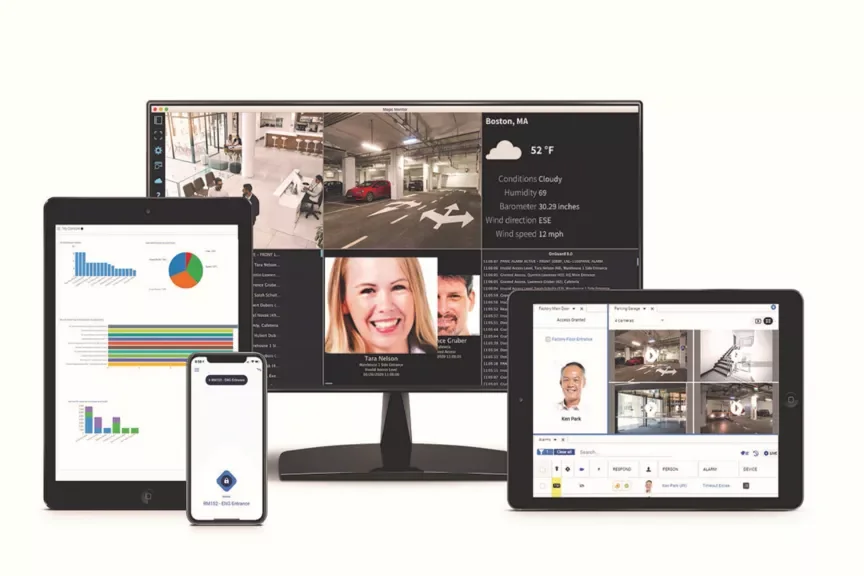
OnGuard Enterprise is intended for distributed organizations that need regional operations and enterprise coordination. Its value depends on database synchronization, identity governance, permissions and WAN behavior being designed deliberately.
For integrations, require the exact OnGuard version, partner interface, API license, middleware, authentication, supported fields and data direction. A certified partner listing does not define the scope, error handling or ownership after handoff.
| Acceptance area | Evidence to require |
|---|---|
| Regional autonomy | Documented operation during parent-server or WAN interruption, including credentials, alarms, reporting and later synchronization. |
| Identity synchronization | Create, change, suspend, terminate, duplicate and failed-record tests with authoritative-system reconciliation. |
| Monitoring | Alarm routing, acknowledgement, device control, video association, escalation and shift-handoff tests by role. |
| Backup and recovery | Tested database, encryption key, certificate, server and integration recovery with measured objectives. |
| Upgrade | Supported-version matrix, lab validation, database backup, maintenance window, fallback limits and post-upgrade test report. |
Lifecycle and support planning
Maintain an active, documented support and upgrade approach appropriate to the selected deployment. The OnGuard Software Upgrade and Support Plan is one manufacturer path for access to current software and support benefits. Confirm the actual entitlement, renewal date and authorized portal accounts rather than linking a public page to unrestricted installers.
- Review product lifecycle and security notices before every design and upgrade.
- Confirm supported operating system, SQL Server, browser, client and controller releases.
- Stage upgrades with representative controllers, readers, integrations and operator workflows.
- Record licenses, SUSP/support entitlement, portal accounts and escalation contacts.
- Keep installers and firmware in the manufacturer-authorized repository, not on this website.
Official LenelS2 product and support resources
Use current Honeywell and LenelS2 pages for product data, lifecycle notices, release information, supported combinations and authorized downloads. Software, firmware and some technical documents require an entitled portal account; 360 Technology Group does not host those files locally.
Choose the right OnGuard deployment model
We can document the current environment, compare on-premises, Cloud and Enterprise responsibilities and develop a supported migration plan.
LenelS2 owner, administrator and buyer resources
Use these owner and buyer resources to connect platform, product and pricing research with surveyed design, installation, software setup, commissioning, maintenance and support in North and South Carolina.
Official LenelS2 OnGuard software, firmware and support
Use these manufacturer-owned portals for current downloads, release notes, manuals, advisories and technical resources. 360 Technology Group links to official sources and does not copy or host firmware files.
Update carefully: confirm the exact model, region, hardware revision, installed version, prerequisites, required intermediate releases, support entitlement, integrations, backup, maintenance window, rollback limitations and post-update tests. The wrong package or sequence can interrupt service or prevent a downgrade.
Some portals require a customer, dealer, certified-technician or active-support login. Cloud-managed products may update automatically and may not offer a public firmware file.