
Authorized dealer · Certified installers · Charlotte, NC headquarters
360 Technology Group is an authorized Paxton dealer and certified installer
We have been selling, installing, programming and servicing Paxton systems across North and South Carolina since 2018 — more than 8 years. Our scope covers Paxton Net2 and Paxton10 systems, PaxLock wireless door hardware, Paxton Entry video intercom, readers, keypads and credentials.
- Authorized Paxton dealer — we quote and supply genuine Paxton equipment, licensing and subscriptions.
- Certified Paxton installers — our technicians install, wire, program, commission and document the system.
- Repair and takeover — we service, troubleshoot, expand and take over existing Paxton installations we did not originally install.
- 24/7 emergency service — on-call service technicians for emergency repairs, plus scheduled preventive maintenance.
We cover every city in North Carolina and South Carolina from our Charlotte headquarters. Request a quote or service call Call 704-726-4254
Paxton product and system planning
Paxton10, Net2, Entry and PaxLock—designed around the opening
Paxton10 leads this guide because it brings access control and video together. Net2, Entry, PaxLock, controllers, readers and credentials follow with clear selection criteria, published capabilities and implementation responsibilities.

Paxton10 is the primary platform to evaluate first
Paxton10 combines browser-managed access control and video management in one manufacturer ecosystem. It is designed for organizations that want door events, cameras, mobile credentials, Entry intercoms and compatible wireless locks administered together rather than assembled as unrelated systems.
The platform should lead a new-system discussion when the owner wants a single operational view, multi-site administration, straightforward expansion and Paxton-native video. The final recommendation still depends on door hardware, network resilience, retention, cybersecurity, credential policy and the integrations that must survive an outage.
Up to 1,000 doors
Plan current openings, spare controller capacity, future phases and the effect of distributed single-door control.
Up to 1,000 cameras
Define required image quality, retention, storage health, network capacity and evidence-export workflow.
Multi-site management
Paxton publishes support for as many as 100 sites on one server; confirm WAN, time-zone and administration requirements.
Mobile and encrypted credentials
Bluetooth credentials and newer encrypted cards or fobs require compatible readers, enrollment devices and written issuance policy.
Entry and PaxLock compatibility
Connect front-door video entry and selected wireless openings to the same operating environment where the use case fits.
Alarm and I/O automation
Use supported connectors, triggers and actions only after documenting the exact input, output, event and recovery behavior.
How a Paxton10 opening connects
This simplified design diagram shows the responsibility chain. The project drawings must add terminal-level wiring, power calculations, lock interface, fire-alarm release and network details for each opening.
Core Paxton10 hardware
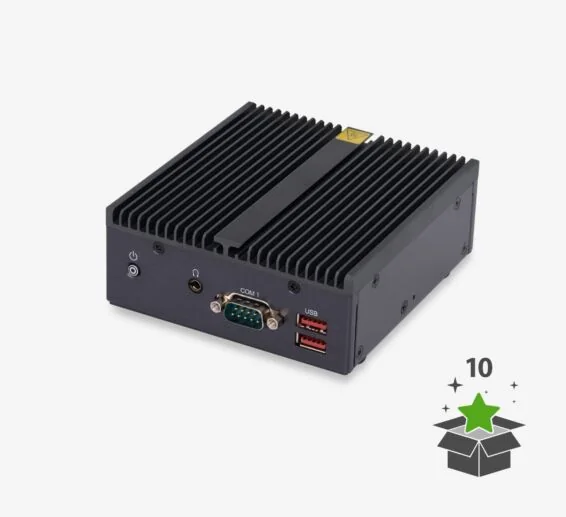
Paxton10 Server
The browser-accessed hub for system administration and remote access. Confirm backup, recovery, network placement and administrator ownership.
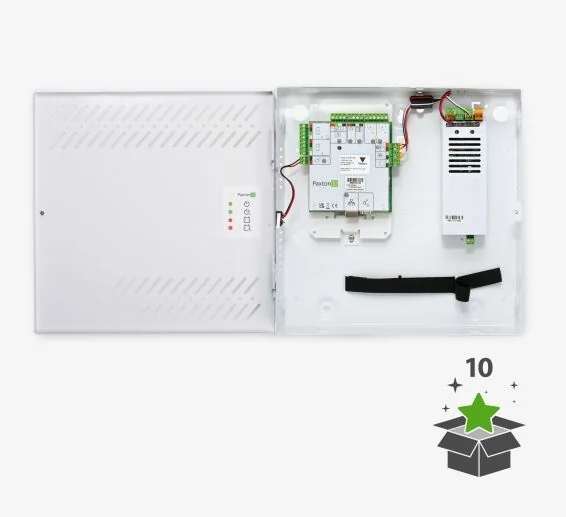
Single-door controllers
Choose the PCB, plastic-housing, PoE or powered-enclosure option that matches lock power, battery runtime, mounting and network conditions.
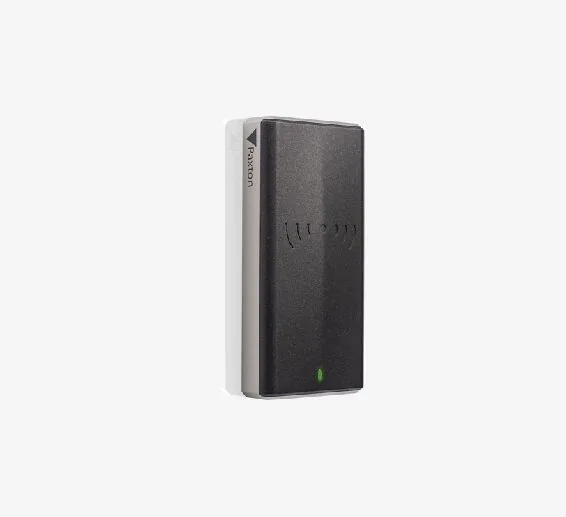
Readers and keypads
Slimline, vandal-resistant and keypad models support different mounting, credential and environmental requirements.
| Planning item | Published Paxton10 capability | What to verify in the design |
|---|---|---|
| System scale | Up to 1,000 doors and 1,000 cameras. | Count active and future doors, cameras, Entry stations, wireless locks and retained third-party devices. |
| Multi-site | Remote management with as many as 100 sites on one server. | WAN routing, site time zones, bandwidth, recovery responsibility and administrator separation. |
| Credentials | Bluetooth smartphone credentials plus supported card and token technologies. | Reader model, encrypted credential policy, phone eligibility, enrollment and revocation workflow. |
| Door architecture | Single-door controllers with distributed intelligence. | Power source, lock load, enclosure, battery runtime, fire-alarm behavior and network path at every opening. |
| Video | Paxton10 CORE and PRO camera families plus limited third-party IP camera support through the video controller. | Scene requirements, retention, storage health, supported camera list and acceptance images. |
| Integrations | Entry, PaxLock, fire and intrusion alarm functions, connectors, triggers and actions. | Exact supported versions, input/output logic, event ownership and failure-state testing. |
Net2 remains important for established and expandable access-control sites

Net2 is Paxton’s networked access-control platform for centralized administration from one or more Windows PCs. It is often a practical choice for existing Net2 estates, projects centered on access control rather than native Paxton10 video, and sites that require the mature Net2 integration ecosystem.
Net2 Lite covers many standard applications without a software charge, while Net2 Pro adds advanced capabilities. The design can combine Net2 Plus controllers, supported readers, Net2Air wireless connectivity, PaxLock and Paxton Entry. Remote functions can be provided through supported Paxton applications and services.
Detailed Net2 product guide
Review Net2 Lite and Pro, Net2 Plus controllers, readers, PaxLock, Entry, remote management and lifecycle responsibilities.
Net2 versus Paxton10
Compare platform architecture, native video, mobile credentials, existing-system reuse and migration risk.
Other Paxton product families
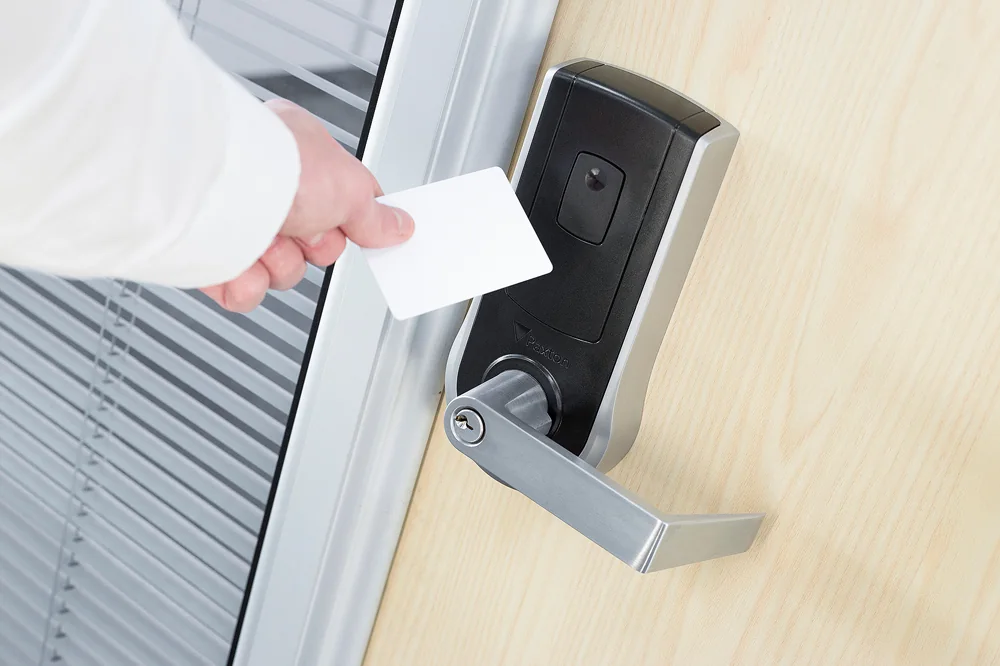
PaxLock Pro wireless door hardware
Battery-powered electronic door hardware for selected interior openings where wireless architecture, door preparation and traffic levels are appropriate.
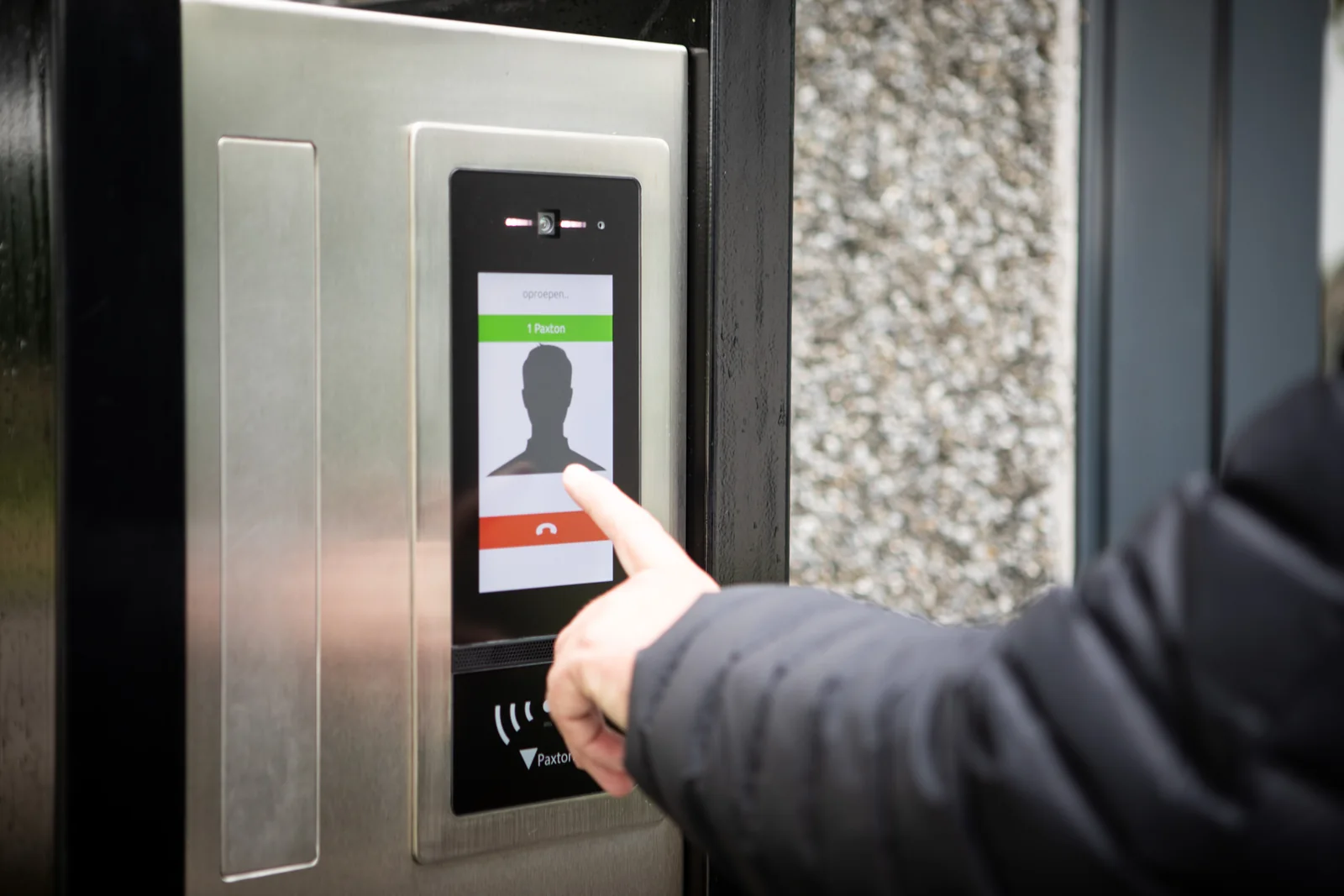
Paxton Entry video intercom
A door-entry system built around an external panel, door controller and internal monitor, with supported app and access-control integration options.
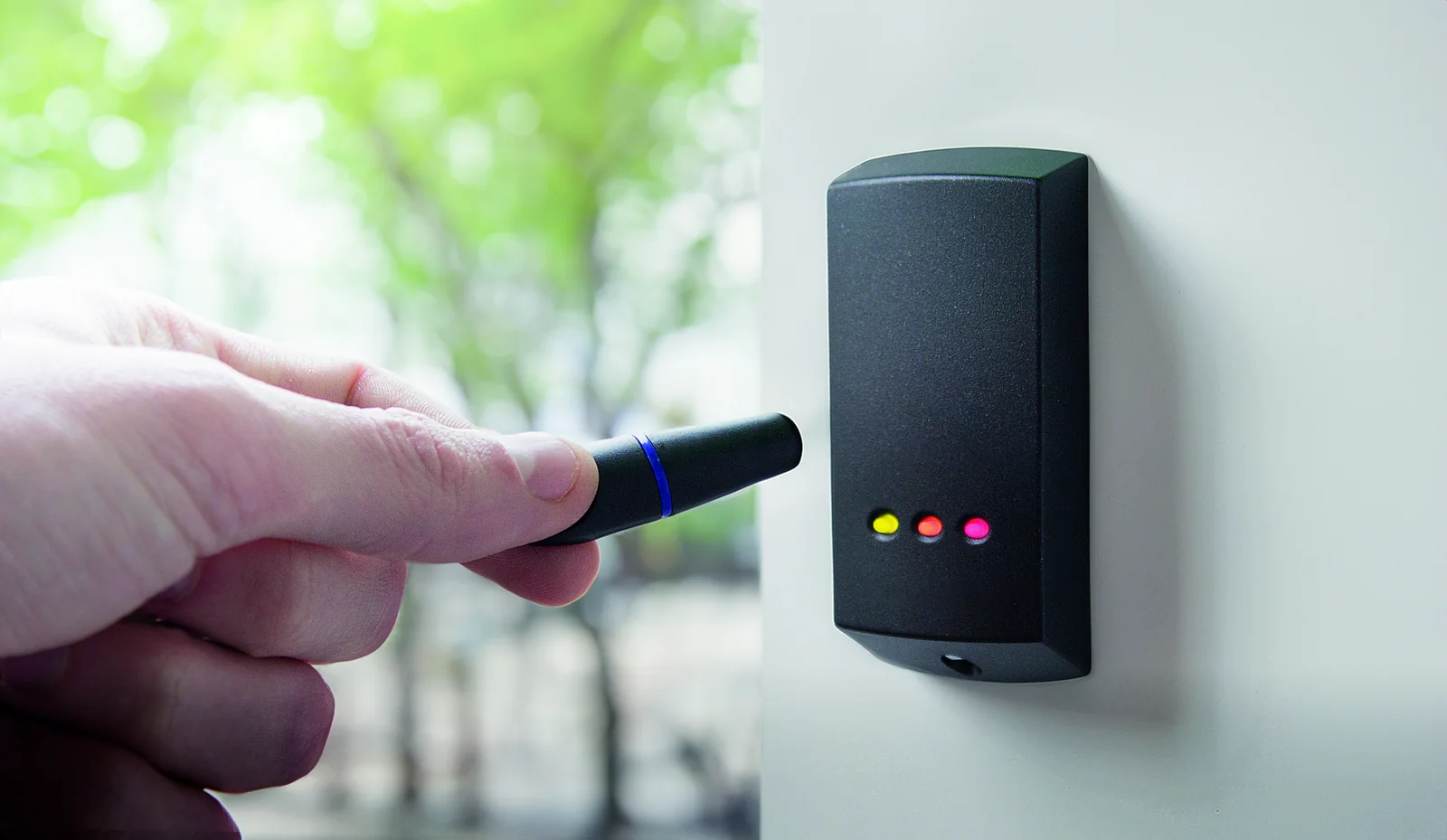
Readers, keypads and credentials
Select by platform, credential technology, vandal resistance, mounting, environment and user workflow rather than appearance alone.
Controllers, panels and connectors
Review Paxton10 controllers, Net2 Plus ACUs, alarm, input, output, I/O and wireless connector roles.
All Paxton products
See software, cameras, credentials, Entry components, standalone systems, accessories and current sales codes.
Paxton10 versus Net2
Compare operating model, video strategy, server architecture, mobile management, existing-system reuse and migration risk.
What 360 Technology Group verifies before proposing Paxton
- Every door, frame, lock function, handing, egress condition and accessibility requirement.
- Controller and enclosure location, circuit loading, standby power, grounding, surge protection and environmental conditions.
- Reader format, credential lifecycle, mobile-device policy, visitor workflow and lost-credential response.
- Network switching, PoE budget, segmentation, naming, time synchronization, remote access and outage behavior.
- Camera scenes, recording architecture, retention, privacy, exports and evidence acceptance tests.
- Fire alarm, intrusion, elevator, Entry, HR, identity and third-party integration boundaries.
- Current software, firmware, supported product status, backups, licenses and administrator ownership.
- Commissioning records, training, labeling, as-built drawings and the owner’s maintenance plan.
Official Paxton product resources
Use Paxton-owned pages for current models, release notes, manuals, technical data and software access. Product availability and specifications can change.
Plan a Paxton system for a Carolina facility
Share the building type, city, number of doors and cameras, existing Paxton equipment, desired credentials, Entry or PaxLock requirements and project schedule. We can develop a field-verified Paxton10 or Net2 scope for North Carolina and South Carolina.
Design Paxton10 around operations, not only door count
The published system capacity is useful, but the better design question is how people will administer users, investigate events and recover from failures. Paxton describes Paxton10 as a web-managed platform that can scale to 1,000 doors, 1,000 cameras, 100 sites and 50,000 users. Those limits do not replace a site model. A proposal should state how doors and cameras are divided among locations, who can administer each site, which operators can export video and how the system is backed up.
For mixed access and video projects, the camera plan should identify Paxton-native cameras and any third-party cameras connected through Paxton10 Video Controllers. Each video controller can provide storage and processing for supported third-party IP cameras, so retention, bandwidth and controller placement need to be engineered—not inferred from the total camera count.
Events and automation
Document triggers and actions in plain language: the initiating event, the output or notification, the permitted schedule, the reset condition and the responsible administrator. Paxton10 I/O connectors can extend automation to connected equipment, but life-safety functions must remain within the approved fire and door-hardware design.
Multi-site administration
Define site groups, time zones, holiday calendars, operator permissions and incident escalation before enrollment begins. Consistent naming and ownership prevent a multi-site system from becoming a collection of unrelated databases.
Recovery evidence
Acceptance should include a verified backup, a restore procedure, administrator recovery instructions and an inventory of controllers, cameras, readers, intercom components and wireless locks.
Questions the final Paxton proposal should answer
- Which platform and software version is being supplied, and what is the owner’s update policy?
- Which openings stay locked or unlocked during loss of power, network, server or fire-alarm input?
- Which credential technologies are enabled at launch, and how will lost phones, cards and fobs be revoked?
- Where are controller power supplies, batteries, network connections and surge protection located?
- How are Entry calls, PaxLock maintenance, video retention and system health handled after handoff?
360 Technology Group turns those answers into an opening schedule, network and power plan, credential policy, testing script and administrator handoff package for North Carolina and South Carolina facilities.
Paxton owner, administrator and buyer resources
These owner and buyer guides connect Paxton software and hardware research with surveyed design, installation, commissioning, database protection, maintenance and field support in North and South Carolina.
Official Paxton software, firmware and support
Use these manufacturer-owned portals for current downloads, release notes, manuals, advisories and technical resources. 360 Technology Group links to official sources and does not copy or host firmware files.
Update carefully: confirm the exact model, region, hardware revision, installed version, prerequisites, required intermediate releases, support entitlement, integrations, backup, maintenance window, rollback limitations and post-update tests. The wrong package or sequence can interrupt service or prevent a downgrade.
Some portals require a customer, dealer, certified-technician or active-support login. Cloud-managed products may update automatically and may not offer a public firmware file.